Top Mac Software at Macworld Expo 2009
For us, it’s often hard to sit through a product demo, given how difficult it is to see the entire Macworld Expo show floor. But that’s a shame, since many companies give great demos, and it’s a good opportunity to learn what’s cool about a piece software in a way that you might not figure out on your own. Plus, it’s a great way to rest your feet from a long day on hard floors. Despite our need to keep moving through the show, these applications still managed to grab our attention.
Most Talked-About Software — In the “What’s cool at the show?” category, more people told me I had to check out Cultured Code’s Things than any other product. Things isn’t the first Getting Things Done-inspired task organizer to hit the market, but its execution is polished and intuitive, and doesn’t try to do too much or to be too slavish to the Getting Things Done model. Since different people seek different ways to organize their lives, it’s helpful that this category of software offers a variety of programs and approaches. Things, yet another entrant in the category, is next on my list. Things 1.0 costs $49.95, is a 4.2 MB download, and also syncs with a
$9.99 iPhone/iPod touch companion. [JLC]
Best Return from Being Knee-capped by Apple — When Apple introduced iMovie ’08 in August 2007, the revamped video editor didn’t support third-party plug-ins, a burgeoning market that had grown up around previous versions of iMovie. Developers such as GeeThree found their products suddenly outdated. The just-announced iMovie ’09 also does not support plug-ins, but GeeThree has now brought its expertise in creating video effects to Final Cut Express and Final Cut Pro. SlickFX Final Cut brings lots of its Slick iMovie plug-ins to the more advanced video editors. More impressive is the $75 SlickFX
PhotoMotion, which makes creating Ken Burns-style movements over still photos dramatically easier than building them by hand using Final Cut’s tools. [JLC]
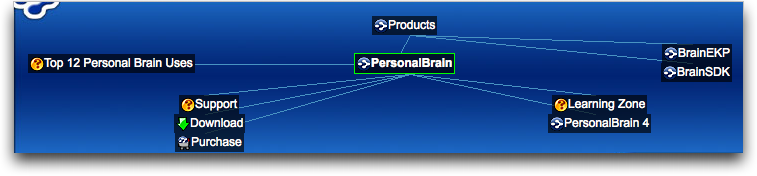
Brainiest Software — As I watched the enthusiastic demo at the booth for TheBrain Technologies I sensed I was either seeing a fabulous product or a reality distortion field. The demo was for PersonalBrain, a “visual information manager” that enables users to create “brains” that contain “thoughts” linked in parent/child relationships in linear (or entirely non-linear) ways. These thoughts can also include URLs and linked-in files. And, they can enter the third dimension with tagging. If you have trouble organizing ideas, projects, or to-dos because too many items need to exist in too many categories, PersonalBrain may be just the product for you. Three versions range in price from free to $249.95, depending on the feature set.
I downloaded the 26 MB free demo version shortly after Macworld Expo and while it’s too soon to say if I love it, it is soon enough to say that its free-wheeling non-linearity more than makes up for its somewhat clunky, Windows-inspired interface. I’ve been mapping projects and to-dos, and using the tagging for items like “Ask Adam,” “Maybe/Later,” and “Monday.” Apparently, I can also apply PersonalBrain to Apple Mail – I’ve yet to find out how, exactly – and an enterprise version of the software performs all these tasks and more for entire companies. The brain boggles. [TJE]
Most Dynamic Photography Software — One of the hottest trends in digital pictures is “high dynamic range” photography, in which you combine multiple different exposures of the same scene into a single image. The end result can more accurately reflect the colors and lighting you saw at the time with your eyes, and HDR photos can be startlingly beautiful works. While many tools can create HDR photographs, including the venerable Adobe Photoshop, most require the original photos be taken using a tripod for image alignment and to produce the best results. Hydra 2.0, by Creaceed, is a combined Aperture plug-in and stand-alone program that combines HDR with impressive
automatic-alignment and warping features to help you create HDR photographs from handheld shots. Since I rarely bring a full tripod on trips, Hydra increases the opportunities I have to produce a great-looking HDR photo. [RM]