DealBITS Drawing: Win a Copy of SuperSync 4.1
One of the most frustrating aspects of iTunes is the way you can end up with multiple libraries — one on your iMac at work, one on your MacBook Pro, one on your spouse’s MacBook — all with slightly different contents. And while you could of course move the necessary files from one computer to another, doing so is a major hassle.
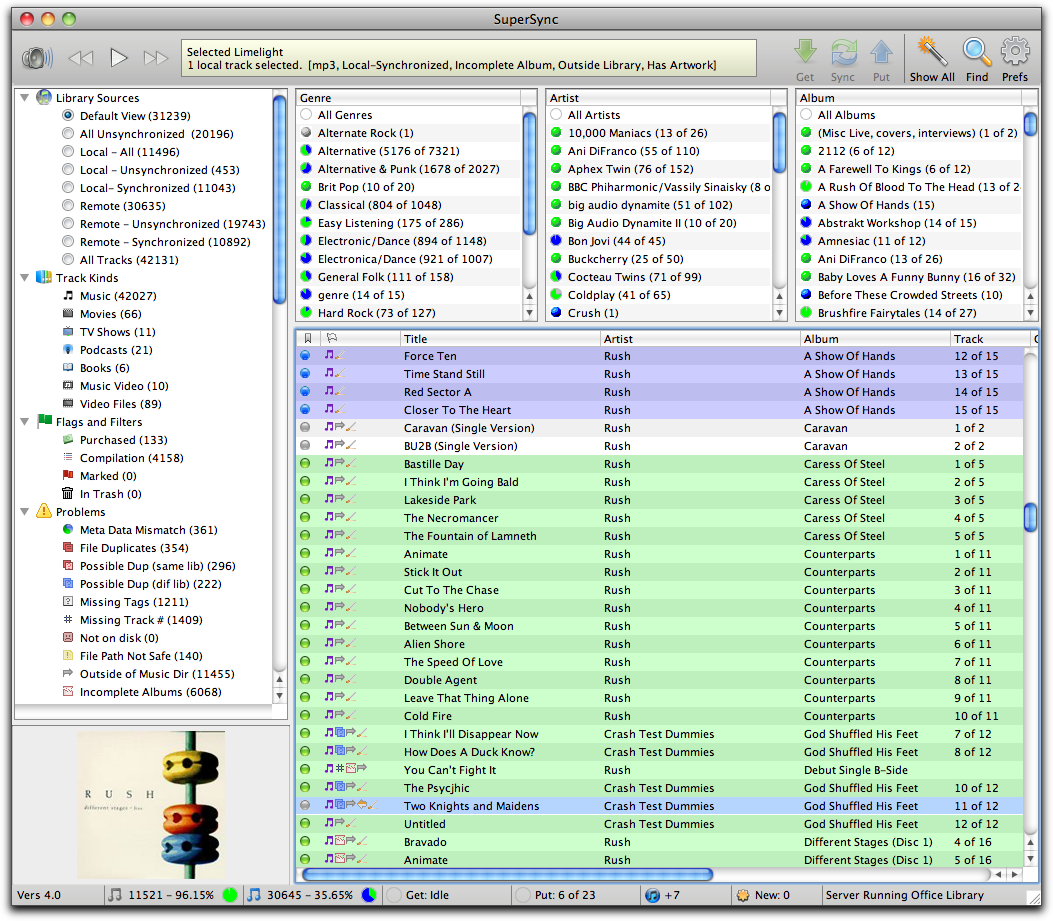
The solution to this problem is SuperSync, from the company of the same name, which can synchronize two or more iTunes libraries on networked computers — across a LAN or the Internet. It can also read music from a folder that contains music, or that is referenced in an iTunes Music Library XML file, but most interesting is SuperSync’s capability to read music from an iPod or iOS device (so you could, for instance, move your music from your iPhone to your Mac at work, even though you sync your iPhone with your Mac at home).
When syncing between two iTunes libraries, SuperSync moves the media files, updates iTunes, and even updates metadata like play counts, ratings, and so on. The fact that you can do it bidirectionally means that you don’t have to worry about changes on one Mac being overwritten by changes on another. SuperSync even works under Windows, if you want to sync your Mac’s music with your Windows machine at work. Other useful features include the capability to find duplicate tracks and corrupt files and listen to your entire music library over the Web. SuperSync costs $35 for use on up to five computers and an unlimited number of iOS devices.
So if you want to win one of six copies of SuperSync 4.1, worth $35, enter at the DealBITS page before 29 August 2011. All information gathered is covered by our comprehensive privacy policy.
I really want this software, I have itunes on 2 computers and keeping them the same is a nightmare