Thoughtful, detailed coverage of the Mac, iPhone, and iPad, plus the best-selling Take Control ebooks.


Pick an apple! 
 
Spin Through Toolbar View Options

Although many people never change their toolbars from the default settings, all standard toolbars on the Mac offer six states: icon only, text only, and icon and text, with all three coming in normal and small size. You can change them by choosing View > Customize Toolbar.

But there's a shortcut that makes it easier to check out each variant. Simply Command-click the toolbar lozenge at the upper right of a window, and the toolbar switches to the next view. Click it enough times, and you cycle back to the start.


Related Articles


Infinite Recursion with Screen Sharing

Send Article to a Friend

I was experimenting with Leopard Screen Sharing and its backwards compatibility with VNC - see "Screen Sharing with Leopard Extends to Tiger," 2007-10-26 - when I managed to produce this lovely recursive screen capture.
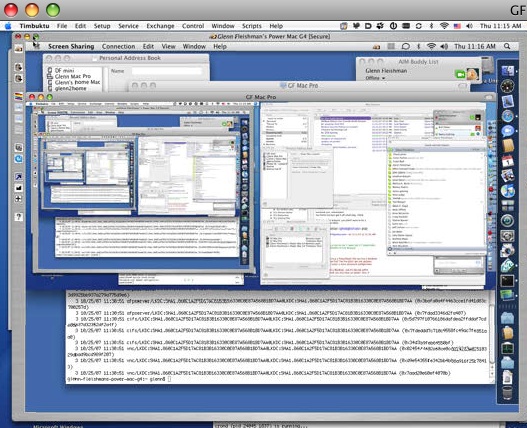
I was using Timbuktu Pro 8.7, the new Leopard-compatible release, to connect to a test system I have that's running Leopard. With Remote Desktop enabled on my main Tiger computer, I connected back from Leopard. Leopard and Timbuktu Pro gamely redrew each recursive window in alternation. What a partnership. The two programs kept drawing smaller and smaller screens - look in the middle left to see teeny tiny forms of the whole.


READERS LIKE YOU! Support TidBITS by becoming a member today!
Check out the perks at <http://tidbits.com/member_benefits.html>
Special thanks to Linda Russell, Allen Watson, Maria O. Arguello, and
Randy Stokes for their generous support!