Precipitate Shines Mac Spotlight into Google’s Cloud
Stuart Morgan of Google has released a free Mac OS X preference pane called Precipitate that enables Spotlight and Google Desktop to search documents stored in your Google Docs account, along with your Google Bookmarks.

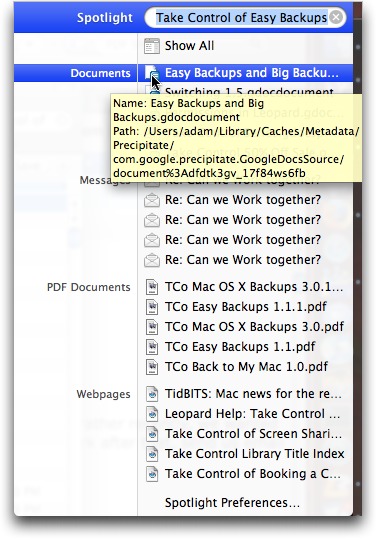
We’ve been using Google Docs an increasing amount, and Precipitate worked fine in my initial Spotlight search tests for finding documents that exist only online. Clicking a found Google Docs document in the Spotlight search results opened it in my default browser, just as you’d expect. If you use either Google Docs or Google Bookmarks and Spotlight or Google Desktop, give Precipitate a try.
Future updates of Precipitate will likely support multiple Google accounts and some sort of automatic update functionality (so in the meantime, you’ll need to check for updates manually at the Precipitate page). It’s a 904K download and works in Mac OS X 10.5 Leopard; I haven’t yet confirmed Tiger compatibility.