Pages, Keynote, and Numbers 15 Go Freemium
Although the marquee apps in Apple’s new Creator Studio bundle are Final Cut Pro, Logic Pro, and Pixelmator Pro, the company also tossed in Pages, Keynote, and Numbers—the apps previously known as iWork—along with the FreeForm collaborative whiteboard app (see “Apple Bundles Pro Apps into New Creator Studio Subscription,” 15 January 2026).
The addition of the iWork apps complicated the situation because Final Cut Pro, Logic Pro, and Pixelmator Pro are paid apps and remain available to existing users and for new purchases (at least the Mac versions; the iPad versions are now available only to Creator Studio subscribers). In contrast, Pages, Keynote, and Numbers are free, as is Freeform, so why would anyone bother subscribing to get them again?
What Subscribers Get
To sweeten the Creator Studio deal, Apple integrated the Content Hub—a curated clip art library of photos, illustrations, and graphics—into the iWork apps, plus added new templates and OpenAI-powered image generation, editing, upscaling, and cropping. Sure, Apple has good taste, but I can’t help feeling that the product managers of any mature app that adds a clip art library are suffering from a lack of vision and creativity.

In addition:
- Pages doesn’t receive any new features beyond the clip art and AI graphics.
- Keynote gains three additional AI-powered features: automatic presentation creation from a text outline, automatic presenter notes based on slide content, and slide cleanup for layout, spacing, alignment, and typography.
- Numbers gets a new Magic Fill feature that recognizes patterns to fill entire columns.
In addition, all three have received interface updates to Liquid Glass, which some view as a bug rather than a feature.
A Bumpy Upgrade
The transition from version 14.4 of Pages, Keynote, and Numbers to version 15.1 has been confusing, to say the least. In late January, Apple released version 14.5 of all three apps, with the App Store claiming “This update contains bug fixes and performance improvements” for all three. I wonder if even that is true, given that 14.5 doesn’t appear in the version history for any of them.
The actual change in 14.5 is a dialog that appears at launch, informing the user that 14.5 will no longer receive updates and directing them to download version 15 from the App Store.

When you click the Go to App Store link in each of these dialogs, you’re taken to the appropriate page to download version 15.1. (There’s no indication of what happened to 15.0.) Although people have complained about having to search the App Store manually for these apps, the links do work properly. You’ll also notice that Apple has stuffed marketing keywords into the app names—“Pages: Create Documents,” “Numbers: Make Spreadsheets,” “Keynote: Create Presentations”—a practice the company has long tolerated from other developers but now appears to be embracing.

I presume Apple couldn’t upgrade the version 14 apps in place because they also needed to build them into the Creator Studio subscription, as the App Store isn’t known for providing developers much flexibility in their marketing and distribution. There’s a little schadenfreude in seeing Apple suffering from this as well.
Because the version 15 apps are entirely new, they coexist in the Applications folder with the version 14.5 apps. You might wonder how that’s possible, since they appear to have the same name in the Finder. The Get Info window shows that the new version of Pages is actually called “Pages Creator Studio.app.”

Although the old and new versions can coexist, Apple isn’t happy about it. Whenever you launch Keynote 14.5 or Numbers 14.5, you’ll be encouraged to delete them. Oddly, I don’t get a similar dialog with Pages.

The practical upshot of all this is that you can continue to use the 14.5 versions, presumably indefinitely. They won’t receive updates, and Apple has already fixed security vulnerabilities in Pages and Keynote that could cause a crash or disclose process memory when processing a maliciously crafted document.
Note that version 15.1 requires macOS 15.6 Sequoia or later, while version 14.5 supports macOS 14.0 Sonoma and later. If you’re running an older system, 14.5 may be your only option—download it now while it’s still available in the App Store. On the plus side, files created in version 15.1 can be opened by version 14.x and vice versa, so there’s no compatibility concern if you’re collaborating with someone on a different version.
If you haven’t updated anything yet and are willing to live without future updates for a while, it may be easiest to stick with the 14.4 versions that won’t nag about anything at launch. But that’s not a long-term strategy.
A Rocky Reception
Although Apple doesn’t appear to have removed any features, so no one who upgraded is functionally worse off than before, there have been numerous complaints, as reflected in the App Store ratings. Pages dropped from 4.6 stars to 2.5, Keynote from 4.7 to 2.1, and Numbers from 4.6 to 2.1. And these are presumably Apple’s most involved users, since they’ve downloaded the upgrade so quickly.
Complaints have focused on:
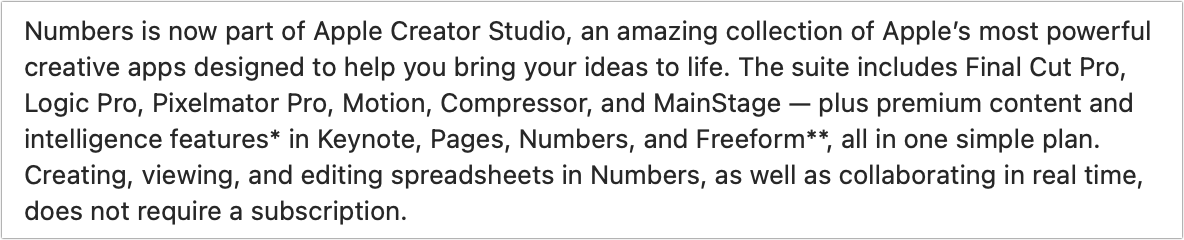
- Confusion about whether the apps are still free: Many users have seen the Creator Studio branding and subscription prompts and assumed they now had to pay for apps that were previously free. It’s not the case, but Apple has little incentive to make that crystal clear. In the App Store descriptions, after emphasizing that each app is part of Creator Studio, a single sentence states that “creating, viewing, and editing” and “collaborating in real time” do not require a subscription. That reads a lot like the mealy-mouthed way the limited features of freemium apps are often described, and is a far cry from “all existing features remain available for free.”
- In-app upselling: The new versions include toolbar buttons, menu items, and a first-launch screen promoting Creator Studio. Premium templates are mixed in with free ones in the Template Chooser (and shown first), and if you try Content Hub items without subscribing, they’re watermarked.

- No way to hide premium content: Users can’t filter out Creator Studio templates from the Template Chooser, so they must scroll past subscription-only items to find the free ones every time they want to create a new document.
- Liquid Glass interface changes: Apple continues to claim that Liquid Glass is an improvement, and although opinions vary, most I’ve heard dislike it. Speaking as someone who hates icon-only interfaces, I will note that you can still choose View > Customize Toolbar and choose Icons and Text from the pop-up menu at the bottom of the dialog to return text labels to the otherwise incomprehensible toolbar icons. If you don’t subscribe to Creator Studio, you might also remove all its purple toolbar icons.

- The new icons: Many people are unhappy about the abstract, “neon” icons replacing the more photorealistic ones. While I’m sympathetic, they aren’t nearly as bad as some of Apple’s other Liquid Glass-driven icon redesigns. I have to wonder whether the Numbers icon expresses the designer’s disdain for Liquid Glass or the community’s criticism of it.

- Freemium freakout: Users are legitimately concerned that these few AI-powered features are merely the beginning, and that all future enhancements will be locked behind the Creator Studio paywall. With the other Creator Studio apps, users can at least choose between purchasing standalone versions and subscribing, but iWork users have no such option if they want the new features. To be fair, the AI features incur ongoing costs because they don’t use local models, so Apple has more justification to want ongoing revenue from them.
- Content restrictions: I haven’t actually seen anyone complain about this yet, but if you read the Apple Creator Studio License Agreement, which you agree to by clicking Continue on the first-launch splash screen, you cannot use anything from the Content Hub as standalone files outside of Creator Studio apps. You also may not incorporate content into a logo, corporate ID, trademark, or service mark; use it in a pornographic, defamatory, or otherwise unlawful manner; or use it for training, testing, or evaluating any machine learning or artificial intelligence models. I imagine such limitations are common with clip art, but they’re worth keeping in mind.
Ultimately, adding Pages, Keynote, and Numbers to Creator Studio feels wrong. Yes, it will likely encourage (or mislead) more people into subscribing to Creator Studio and thus boost Services revenue. But it smacks of squeezing incremental revenue from existing products rather than creating compelling new value. Of course, that raises a question: if users aren’t clamoring for new features in these mature apps, perhaps monetizing the margins is all that’s left.
As for what you should do, it’s hard to see a significant risk in continuing to use the iWork 14.4 or 14.5 apps. If you were concerned about receiving potentially malicious Pages or Keynote documents, you could open them using the iWork 15.1 versions. Simultaneously, it’s easy enough to download the iWork 15.1 apps, so you can see if you are perturbed by Liquid Glass and the Creator Studio upsells. And if you find the Content Hub and AI-powered features genuinely useful, the subscription might even be worthwhile.


A sad day. I don’t need the *(what_ever)intelligence. Think Linux is next. Also in my mind: #Greenland Apple’s behavior is … Goodbye
If your right-click on the app and select “Show Package Contents”, to see the inside of the app bundle, and then view the file Contents/info.plist (QuickView will work), you can then view the metadata that the Finder (and launch services) uses for the app.
I don’t have version 15 at this time, but looking at the plist for version 14.5, I see two keys whose values are “Pages”:
I suspect that the first (CFBundleExecutable) is the name of the internal executable file (in this case. Contents/MacOS/Pages), and the second (CFBundleName) is the name presented in the Finder.
Can you share the corresponding keys in version 15?
I suspect they’re doing something similar to what Microsoft has done ever since introducing their XML-based Office document formats. If you look at (for example) a
.docxfile, it is actually a Zip archive. If you unzip it, you’ll get a directory full of various files, including an XML representation of the document.This allows for forward- and backward-compatibility. If you use a new feature from a new version of the app, and try to load the document into an old version of the app, it should (I assume) ignore the XML keys it doesn’t understand and load the rest. So you’ll be able to see as much as possible with the version of the app you have.
And if the app is well-written, then unsupported keys should be preserved when saving the file, so they won’t get lost, and the corresponding formatting/functions will remain there when the document is later reloaded into the current version.
At least that’s my assumption. I could be completely wrong.
I‘ve been familiar with the phrase “Death by a Thousand Papercuts” for a few decades, but over the last few years I’ve been feeling like this might be Apple’s unofficial motto. “Freemium” Pages, Keynote, and Numbers—well, here’s a few more papercuts. Frankly, it barely hurts after the rather large gash that was Liquid Glass—but at a certain point, Apple’s gotta stop making us bleed. Or soon they’re gonna be bleeding customers.
I use all three apps nearly every day now and I’ve used all since their original launches. I have never used any template bar ones I’ve created. The upselling is painful, it’s not just in the new document picker, it appears in the sidebars as well, so it’s not just a “wade through all these to get to my templates and then dismiss” irritation, there’s a sense you can’t avoid this.
My one hope is someone in Apple will dial it back in an update.
The message Jason Snell saw that said he could delete 14.5 is the one you get when you run one of the 14.5 versions after downloading the new version. If you haven’t downloaded the new one yet then you get prompted to do so instead.
Whether you think this Creator Studio/freemium debate is valid or not, to me it all feels like a distraction from the real issue with Keynote, Numbers and Pages: their collaboration features are in desperate need of additional development. Inviting other users to work in these docs, managing those users, viewing docs on the web, commenting, versioning and other similar features could all be much, much more elegant, lower friction and more reliable. It’s sad that such genuinely terrific apps are stuck in an early 2010s mode of collaboration because they could be so powerful if updated. For the record, I would gladly pay for Creator Studio if Apple upleveled them along these lines.
Pages Numbers and Keynote (14.5 version) are not available in the App Store for Tahoe? I unhid all three and I can’t find them in my list.
I know it’s a petty complaint, but the fact that the new programs don’t list any of my old files in the “Open Recent…” dialog really messes up my workflow. I have numerous files that I open regularly. Yes, I will eventually repopulate that dialog. But for now, I’ll stick with the old program just to not have that annoyance.
And no, I see nothing worth paying for in the new offerings.
Thank you for another great article Adam! I just went to see the comments in the Mac App Store today and the majority are people complaining about the new versions, after all these years people gave them for granted… not looking good for Apple.
The majority of poor ratings seem to be because people assumed incorrectly that they had to pay for what has previously been free.
@sgtaylor5 I was surprised to read this, so I checked App Store on my Mac (I’d updated to 14.5 recently). I didn’t find those apps in v14 by searching the main store, but checked in my Account’s Purchased section and there they were. I‘m not 100% clear where you were looking, though it sounds like you were in your Account section, so that is weird.
Just to reiterate, the new 15.x versions of these apps are functionally identical to the 14.5 versions. It is my understanding that the code base has undergone a major rewrite prompting the need for a fork in the upgrade path, but both versions work on the same files and a file opened in either version can be opened and edited in the other.
The fact that there is a possibility of paying for some extras doesn’t affect the performance of the apps. And, for me, the presence of reminders of those extras in the new apps is not a bother.
Just a reminder that you can give direct feedback to Apple. The relevant team will get to read this.
I was looking in Hidden Purchases in my Apple Account, through the Mac App Store. When I clicked on "Unhide”, those three apps came off the list in Hidden Purchases, but didn’t show on my master list of available apps when I selected the entry for my user name at the bottom of the App Store sidebar.
EDIT: I just looked, and there they are…
Isn’t Apple breaking a contract since they have promoted the iWork apps as free of charge when buying one of their devices? Maybe a harder hitting headline is appropriate here.
And frankly Apple has played yo-yo with these apps since 1984 –
free
not free
free
not free
free
not free
No I am not going to go back 40+ years to put a date next to these.
Y’all know what I am talking about.
They are still free!
Pages has existed since 2005. Numbers since 2007. Keynote since 2003.
LOL I asked around and got tis answer
Just a reminder to please not post dumps from chatbot conversations. It’s just too much for readers to take in, and I’m assuming you haven’t fact-checked every detail to stand behind it. See the discussion at:
I noticed that too, not because it’s a big workflow issue for me, but because I use them (particularly Numbers) for such specific things that it took me a while to remember where I stored the actual files. It makes perfect sense—these are truly new apps—but it is an annoyance.
Interestingly, Apple seems to be doing something quite different, with these two keys instead:
Hmm! I’m not seeing that message to delete the old versions even though I’ve downloaded the new versions.
I see that my installation of 14.5 has the CFBundleDisplayName. I missed that one.
Adding a CFBundleAlternateNames array to (a copy of) my installation doesn’t seem to change anything. And the copy is no longer executable, probably because it’s no longer part of the App Store sandbox that it was copied from.
There’s a standard mechanism for doing this, it’s long been in play in
~/Library/Containers/.Six folders with seemingly the same name, ‘Mail’. If you
Get Infoyou see that the first one actually has a name ofcom.apple.mail. The others are:None of them have the name
Mail! You can see this in the Terminal:How this is achieved, I’m not sure. It doesn’t seem to be in any extended attributes (at least not obviously). This isn’t just Apple apps either, so it’s not a hard-coded list somewhere (you’ll find plenty of third-party app folders in there that have multiple folders with seemingly the same name). Maybe Howard Oakley knows, it is the kind of thing he tends to investigate.
However this works I assume they’re using the same mechanism for these new iWork apps.
Ok, here are my questions (which I believe has not yet been addressed): When the free version of Numbers, or Pages, or Keynote gets updated by Apple (that is, beyond v15.1), will the method of updating be the same as it was, for the pre-creative-studio versions of these same apps? That is, updates (either manually, or automatically) are available through the Apple App Store?
According to the dialog that pops up to prompt you to update to the new versions, there will be no more updates to 14.5. Adam’s article has screenshots of those dialogs showing that message.
Hello Doug,
I understand no more updates to the 14.x line of apps.
What I am wondering is, is the method for going forward for updating the (free version) of the new creative-studio Numbers, Pages, Keynote (for v15.x and beyond), going to be the same method as before, that is, updates to (non-subscription) Numbers, Pages, Keynote (for 15.x and beyond) are going to be provided via the Apple App Store?
I believe that is correct. I don’t think that Apple has indicated anything different from that.
ok, thanks !
I think it should be clarified that there isn’t a free version and a creative studio version. They are the same app, and the subscription will unlock features unavailable to people who use it for free.
At least for now - who knows if Apple decides to split them out in the future.
And then ignore it.
So new Apple Macs will no longer come with Numbers & Pages? Or perhaps they will but only work for a couple of weeks before you have to subscribe? I foresee a massive increase in LibreOffice Mac downloads.
Where did you get that idea from?
New Macs will almost certainly come bundled with the latest version (currently 15.x), with the AI/cloud features requiring a subscription, and everything else being free.
Just like what you get if you download it today.
I read your post that only the versions up to 14.5 were bundled. I took from that the 15.x versions would NOT be bundled. Hopefully they will be bundled; I won’t be surprised when Apple only allows the bundled 15.x+ versions to run for a short period before requiring the entire Creator suite be bought to continue use. It would match up with Apple’s current “make a buck” philosophy.
Based on Apple’s newsroom article, Introducing Apple Creator Studio, an inspiring collection of creative apps - Apple
And, lower on the page,
Riiight! They will probably change that in a few weeks or months. Apple shouldn’t be trusted any more.
Oh. Sorry for the confusion. I was replying to a message claiming that this new policy violates some terms with respect to copies that were previously preloaded on hardware. To which I replied that those preloaded copies aren’t going anywhere.
Going forward into the future with hardware purchased today, after version 15 has shipped, it’s anybody’s guess. Apple is under no obligation to preload any apps. It is safe to assume that the bundled apps will change over time, with some being added and some going away.
But for now, I think it’s pretty safe to assume that they will continue to ship the latest version of the bundle-formerly-known-as-iWork for the near-term. And that it will likely be dropped at some unspecified time in the future for the long-term.
Anything is possible, but given the fact that absolutely nobody at Apple has even hinted at a policy change like this, it is (at least for the moment) a baseless assumption.
You believe that Apple has become an evil company, and so you are assuming the absolute worst possible decisions, and will never be convinced otherwise. So further discussion is, IMO, pointless. So I’m going to stop now.
Let’s stop with the knee-jerk Apple bashing. It adds nothing constructive and just makes reading TidBITS Talk less enjoyable.
Criticism of Apple is entirely fine, but it should be specific, ideally constructive, and not just restating what has been said many times here before.
Sorry, a bit confused. Do the latest versions of Pages, Keynote, and Numbers remain free or do they require some sort of subscription?
They’re free. You can subscribe to unlock “extras”. But they offer the 14.5 feature set for free.
My complaint is a little different. I am an amateur photographer who would have liked to try Pixelmator Pro. I do not do video, so the other AV apps are of no interest to me. I can also happily keep using the former iWork apps without upgrading. So the Creator Studio bundle doesn’t work for me. The Adobe photography bundle is a much more useful option, with Lightroom and Photoshop. Perhaps if Apple ever releases a new App with professional photo cataloguing features, it will emulate Adobe and offer a photography focused bundle. More competition in that space would be a good thing.
I downloaded the new versions very quickly; there hadn’t been much info about the upgrade previously & thought I didn’t have a choice. I only upgraded Pages & Numbers, I don’t use Keynote. Didn’t like the upgraded versions of either. I saw dialog boxes that encouraged me to delete Numbers & Pages 14.5. Instead, I deleted the upgraded Creator Studio versions of Pages & Numbers. Now use only Pages & Numbers 14.5. Hoping I can stay w/those for awhile as my Mac is less than a year old.
If there are more changes to the Creator Studio that do detract from versions 14.5, I will consider one of the other suites previously mentions. Will not stick w/the Creator Studio versions, will not go back to Microsoft suites, nor rely on Google/gmails document/spreadsheet apps. I will look at others that were previously mentioned.This had turned into a big mess and feels very far from the early days of apple. Highly disappointingl
I experienced the same confusion you discuss. But I’m a heavy user of the iWork suite (I like it SO much better than the MS suite). So, as an educator, I have subscribed to the “freemium” Creator Studio product, with a very substantial discount which made it an easy decision. My exploration of the so-called “premium” content is disappointing. Apple’s newly added templates for the iWork suite are simplistic, brash, inelegant. Maybe there are creators who would watch a Keynote presentation in those dizzying neon background patterns and colors, but for some of us, a fresh look would be easy-on-the-eyes, rich with soothing colors and clean, elegant fonts. (I create those myself all the time, but Apple has artists much more talented than me.) And the clip art is simplistic.
The easy-to-navigate “shapes” menu has been “simplified",” but that’s thrown most shapes into the “Content Hub,” requiring extra steps to locate. And despite the “premium,” there’s still no “search” function within “shapes;” we’re required to scroll through rows of black-and-white objects and icons sorted into groups which should be intuitive, but often aren’t (You’ll find a bra and computer objects under “objects",” but a camera or microphone shapes are under “arts.”)
Attempting to use a photo as a slide background now offers the choice to select a photo from outside Keynote… but not to select one from the product’s own premium “Content Hub.”
Just a few observations which I think suggest this “freemium” concept was hastily conceived and remains essentially in "beta” status.
(I’m not a user of the other high-end paid Creator Studio apps - yet. So I’m offering only comments about the iWork components.)
I am clamoring for new features. Specifically, I have recently become a hardcore Numbers user, to the point that I am wishing for far more advanced books on the subject than I have been able to find. What I want—a lot—is a built-in AI that knows Numbers back and forth and can tell me how the heck to do what I want to do (very much in the How Siri Could Become the Mac’s New Help System - TidBITS vein, which I had not yet read when I posted this). This is how all complex apps are going to be built in the future (until AI just does it all for us), and I would like it right now. I’d be happy to pay $30/year (though probably not $130) for that feature, if it actually worked.
Apple is evidently so blinded by greed that they don’t realize what a bad taste it leaves in the mouths of their customers when they are squeezed for a few extra dollars by a company that is already making more money than they can count.
My MacBook Air is still on Sonoma, and I haven’t updated Keynote, Numbers and Pages to 14.5 yet. Is it worth doing, or can I just stick to 14.4?
I am becoming increasingly dissatisfied with Apple software (the hardware is still very good, although they are slipping there too, e.g. no LED on MacBooks to tell if it’s on, sleeping or off). The bundling of these ‘productivity’ apps with ‘creativity’ apps seems illogical to me and certainly not customer satisfaction driven.
I am holding off upgrading any of the ‘works’ apps for now, as I am holding off upgrading the OS on my iPhone, iPad and MacOS devices for as long as I can. Although I use Numbers a lot, I can always move my spreadsheets to Excel as I have MS Office 365 as part of a family plan (that doesn’t cost nearly as much as Apple’s creator studio subscription) in case Apple decides to make Numbers paid only.
I hope someone at Apple will come to their senses and make the company more customer satisfaction driven as they were in the (far) past. Good products attract loyal customers which creates profit in the long run. Profit driven products create dissatisfied customers that leave, lowering profit in the long run.
I’m extremely disappointed with Apple. It’s almost like it’s a personal insult aimed at all those of us who’ve spent years defending the company and thinking that only Apple had the users interests at heart.
It’s obviously very naïve of me, but I’m beginning to question if I will even get an Apple product again. Wasn’t it enough that they sold the hardware and we were happy to pay the “premmium” because we remembered when Apple nearly disappeared. I have been using the company’s products for years - since I was in school and all the way through to a PhD … anyway. Who cares. The accountants have completely taken over Apple like every other company. What happened to the engineers? (I remember as a child it was touch and go if Apple would even survive - I know I’m talking a long time ago)
Sorry for the personal “rant”, but I felt this personally. I think my relationship with Apple has changed forever. (And not for the better, certainly it’s better that I am more cynical).
Exactly. Who thinks it’ll make any difference?
Speaking personally, I’ve never found the iWork apps to be of much use. Whenever I’ve tried them, they always displayed mayor defects, such as Pages not supporting linked graphics, resulting in massive files, or Numbers not supporting cell protection, rendering it useless for all but the most trivial cases. Mind you, some of these issues may have been fixed: I am well behind the most recent upgrades.
I still maintain my old Adobe pre-subscription apps under emulation. After all, I paid (a lot) for them, so why should I pay all over again?
I feel similarly - check out my Logic Pro 12 rant elsewhere where Apple has un-abled my sample sets (i can’t instantiate them but they should play in old projects however - that is half baked) built on their OWN sample architecture. …Also Subscription services are sold like a have/have not thing. Memory (for hardware) and cloud Disk space from stingy old Apple is expensive! It’s elitist and I would bet Steve Jobs would be on the rampage to find this happening. Very disappointing. (bear in mind, for what it’s worth, - windows is worse…)
I think that’s right. Despite the lip service toward “elegance” and “beauty”, Apple seems to have been pushing garish wallpaper and templates for the past few years, starting around Big Sur.
I still think of Steve Jobs remarking that Microsoft had “no taste” long ago, and the moment years later when I was sitting in front of a new Windows 11 desktop and a Big Sur desktop, thinking that the roles had reversed.
The consensus seems to be that the only real change in 14.5 is the message telling you about the new version 15, so feel free to stay on 14.4.
I just opened all the docs in my Open Recent list in the new apps (while having Recents open in Finder to help what was just opened, or maybe taking a screenshot might help. ;-), before deleting the old apps. Took only a few minutes.
Classic Apple method of pulling people onto newer OS’s via other means other than Software Update in settings app. Inevitable obviously, but still annoying if you want to remain on the earlier OS for whatever reason on a machine.
The new 15.1 versions are exactly the same as the 14.5 old ones in free features as well as look and feel, just with the additional options for the subscription stuff highlighted in purple (you can delete them if they’re in the Toolbar).
A more sensible idea would be to keep the new 15.1 versions and use them for free just as you used the previous 14.x versions, as you’ll at least get new free features and more importantly the important security patches as they arrive in future. That’s what I’m doing as a regular user of them (without subscribing!).
Anyway, my main gripe with the subscription model here, is that some features should have been offered for free outside the subscription for very little or no cost for Apple, while keeping the content options behind the subscription.
For example, features like Magic Fill could have been included, perhaps along with the templates, for very little to no cost for Apple. While those items that cost more serious amounts to Apple, like Content Library features (stock photos, etc.) and heavier on-server AI features, could have been in the subscription.
But let me guess, that wouldn’t have been enough of a pull factor for users to subscribe, would it Apple?!
My problem w/the new versions was the amount of customization I’d need to make to have the toolbars & overall screen appear as they did in the older version. A lot of what felt, to me, like clutter needed to be moved/hidden/deleted. I don’t use Word or Numbers for anything very complicated - all personal use - have used both for approx 25 years, & they fit my needs. Don’t want to go thru such massive customization & hunt/search for the features I use regularly.
Maybe I’m too old or too lazy; don’t really want to put so much effort into using something I’ve used for so long. Yes, there have been updates/upgrades over the years & I appreciate that. But not such a big visual change. It felt as if I was using completely new word processing & spreadsheet applications. Yes, I’m that old that I still think of apps as applications, that’s what they used to be called; you wrote a program to develop an application.
The other concern is what does this bode for the future? Is “freemium” temporary & eventually customers will have to pay for Pages & Numbers?
While I agree with your concerns, I really don’t think Apple will suddenly pull the app from being free with its core functionalities at any point, as they full well know that users will need to access their current and older docs forever and they offered the apps as completely free for years (even MS Office docs can be viewed/edited online for free and in other non-MS apps easily). These paid-for features are all stock libraries and or AI features that cost Apple money to provide (photographers/videographers get paid for those stock pics/vids, and the in-cloud AI features require server costs), which most people won’t need and can easily ignore.
I too don’t use the iWork apps for heavy stuff really either, and they look almost identical to the 14.x versions, so I’m not sure what you mean by them being full of clutter that causes problems, because the few extras in there can easily be simply ignored.
My plan is to stick with the 14 branch until Apple adds to the 15 branch some features I actually want. Or bug/security fixes that are documented so that I know what I’m actually getting. That’s when I’ll hop over (or if they break doc compatibility).
I’m not looking forward to having to recreate my highly customized toolbars (as @sf.ross indicates above). I sometime wonder if perhaps I rely on that a whole lot more than most others. Especially, when folks suggest the “nuke and pave” approach to trouble, I always wonder how they can accept the massive fallout that comes from having to re-adjust so much just to get your productivity back to where it was. But perhaps not everybody has spent endless hours configuring each and every one of their apps and their app toolbars to be exactly as they want. I always thought that might be more of a Mac thing compared to the Windows world, but perhaps times have changed and these days the majority of the professional Mac world just doesn’t do that as much as I’d think or I do. Maybe this is all just me wading around in consensus bias.
Understandable, one method is to open both apps side-by-side then copy what you see in one, to the other. ;-)
That’s indeed the plan.
This is actually an advantage of the way Apple is doing this. You’ll end up with two apps so you can actually use one as the template for setting up the other.
The toolbar in Pages 15 was completely different than my toolbar in 14.5; never bothered downloading Numbers 15. Several things I didn’t needed were in the toolbar, much of what I routinely use wasn’t there. There were also big differences in what appeared in the Menus at the top of the page.
I did try, as you suggested, opening both apps side-by-side & started to “fix” Pages 15 to meet my needs. It was still cumbersome & time-consuming. Once I understood the upgrade to Pages 15 wasn’t necessary, I stopped configuring it & just deleted it.
Like Simon, I have spent a lot of time (over the years) configuring Pages, Numbers, & other apps to meet my needs. But that was generally done slowly & over time; either my needs changed or there were slight updates in an app. Having toolbars & such customized are a big time saver to me. But unless an app is a completely new one for me, spending lots of time customizing just doesn’t work for me.
Sure, but as ever, remember that security patches will come anyway, and the 14.x won’t get them. Forcing the eventual upgrade. And the next macOS version may stop support too, of course.
LibreOffice, a free and open-source office suite, works well on macOS and supports various Microsoft file types. It offers half a dozen AI LLM extensions (I’ve not tested) and lacks Apple Intelligence access, but Apple’s current AI offerings are subpar. LibreOffice is snappy on an M1 Mini, displaying Font Book fonts and GNU free fonts within the App Bundle. Microsoft 365 recently changed the default font for the 3rd time, it is now Aptos. However, Aptos is a 365 cloud font. Once you sign-in to your 365 account, it grabs this font. The font is only available to 365 / Microsoft apps that support cloud fonts. Other applications can not see them. This caused a serious issue at work where Adobe Acrobat PDF’s were font substituting as they could not locate the font in Windows nor macOS. I had to go find the Aptos font, verify it’s free to download. Then package it and push to thousands of PCs and Macs to solve the problem. The font is now being installed on newly imaged PC’s and Macs.
Google Sheets has Gemini for providing that sort of help, and Excel has Copilot. I don’t do a lot of spreadsheet work, but I found Gemini useful for developing some complex formulas.
Better than to tell me how, to just do it for me!
Eeeh…that approach has problems, not least of which is that I absolutely do not trust AI at this point to write complex formulas for me that have to be exactly right or my finances get skewed.
“Do it for me” is where agentic AI is going, and it has value, but even after the likelihood of it not making mistakes has dropped further, it’s going to run into the problem of people doing a poor job of asking for what they really want. One of the important skills in the new world order is going to be learning how to communicate exactly what you want.
Not sure this quote applies exactly to the ‘interface’ duplication problem, but it is something I haven’t heard/seen in any of the other posts here.
From an Apple Community reply: “The ability to copy/paste is lost between Pages v14.5 and Pages v15.1 documents,“ Source: Can I remove previous version of pages?
Just tested that, and it’s true. I could not copy/paste in either direction between the two versions of Pages.
That’s a weird bug, but since you can open both documents in either 15.1 or 14.5 at the same time and copy / paste between them, I’m not sure it’s a crippling issue.
I just noticed a 15.1.1 update for Pages and Keynote, but it doesn’t fix this exceedingly strange bug.
Mmm, thankfully opening all Pages docs in 15.1 and copy-pasting between them works fine. So just delete 14.5 versions and move on to the new 15.x versions (functionally they’re identical).
Interesting. I suspect that there are bigger changes under the covers than just cloud services.
This kind of incompatibility strongly implies that they changed the native clipboard format, or at least changed the tag-name for the format, so the two apps don’t see each others’ data.
If anyone with both apps installed has the Clipboard Viewer app (part of the Additional Tools for Xcode bundle), it should be pretty easy to confirm or refute this theory.
But I’m kind of surprised that it wouldn’t at least paste using a least-common-denominator format (e.g., HTML or RTF or at worst, plain text). It would lose a lot of formatting, but I would think that it’s better than nothing.
Interesting thought. I wonder what happens if you Paste and Match Style?
It still doesn’t work.
But, again, why work in two different versions of the app at the same time?
The continuing reminders "this version not supported, upgrade” just seems very Microsoft to me… There should be an option “do not remind me again.”
That touches on the very point that has been bothering me a lot lately: Apple has enormous resources at its disposable, both in terms of brain power and money. And yet, plenty of smaller software makers — think Panic, for example — release products that are more thoughtfully designed, more robustly implemented, and provide attention to detail that puts Apple to shame.
Especially with regards to iWork, there’s a great foundation with some (AFAIK) seriously unique ideas. For example, I find placing multiple tables on a shared canvas a brilliant model. Compared to that flexibility, it’s quite painful to force multiple “independent” tables onto a single huge spreadsheet — only to see them fall apart when you try to add a single row somewhere.
To put it more bluntly, I find it hard to understand what, exactly, all those people at Apple are working on. Sure, their software portfolio is dramatically more broad compared to the indie software makers. Look at the Pro application, such as Logic or Final Cut, though, and you can see that Apple can build something amazing.
What is it, then, that results in all those little details that are just mind-boggling tedious to use (@beehaze’s mention of “death by a thousand paper cuts” is so apt here)? When I want to create a new document, why don’t I see “My Templates” as that’s where my stuff is? And that’s just one of too many examples.
Here’s hoping that there’s going to be a shift at Apple soon that actually puts the user front and center again. So we’re spared the all-to-common Doctorowian enshittification that so many other tech behemoths have simply fully embraced.
Keep in mind the entire ecosystem, though!
I kinda feel the same way you do. Whenever I talk to people from the Linux “realm,” however, they usually confirm my long-standing prejudice(!) that the majority of FOSS contributors don’t really that much about user-oriented design.
There are some amazing stand-out products, including LibreOffice. Take a closer look at them, though, and you’ll realize that they often closely copy commercial software in terms of user interface. So you get the “freedom,” but not the UX, of what you can still find in the Mac universe.
IMHO, the key is to look beyond Apple at that universe’s center, and see all the people who make up the Mac-world (sorry ) at large.
I’ve yet to find any non-Mac software whose overall UX is on par with, say, Panic’s Transmit or Nova. It’s a commitment to the platform that is a key ingredient to us users’ everday experiences.
All that said, do you, personally, consider any alternatives to the Mac? If so, what are you looking at, and what have you found out so far?
Among UX designers, there’s a rule of thumb that “97% of user never change their apps’ settings from the defaults.” The idea is to consider what default settings would work for the majority of users.
Then again, I see plenty of other computers users who have all the default applications in their Mac’s Dock. Who don’t hide that dock. Whose toolbar arrangements do look like the defaults. Etc. etc.
Sure, that’s actually (at least) two biases at work: confirmation bias and availability bias.
Nevertheless, I agree with you that, to those of us who need their UIs to be arranged just so for us to feel at home — and productive! — in them, that customization is absolutely essential. And one can only hope that the designers of the products we (want to) use are fully aware of that fact.
P.S.: In case you intend to stay on the 14.* branch, and dislike the constant upgrade nagging dialogs, this solution might work. I haven’t tried it myself yet, but I definitely will. After learning a bit more about these config files in general.
Thanks for the help, Doug.
Unfortunately, I didn’t clearly explain what I meant: I want an application to pre-select the “My Templates” when I create a new document. Instead, “All Templates” gets pre-selected every time that chooser dialog opens. Which adds an additional click almost every time I create a new document.
The very least the iWork apps could do is remember the tab I selected (in the given app) when I opened a new document (think “state persistence”). Instead, it defaults back to “All” every single time.
That’s just bad design.
I do appreciate your attitude of providing help, though, Doug. Talk about that Mac universe, as per my other posting in this thread.
It’s bad design if the goal is to facilitate the user’s work. It’s great design if the goal is to create another path for the vendor to push “content” and advertising to the end user.
I’m the other way: all that I need to see is Blank or Basic - I use those more than 99% of the time I create a new document.
Agreed. At least in the older releases of iWork, however, there was no for-pay template content that needed to be pushed to users. In contrast, it does make sense — with regards to your comment — to take users of the Apple Music app back to the ad-packed “Home” tab time and again. But what’s there on the “All Templates” tab that needs selling?
Out of curiosity, have you defined a preferred blank template in the General settings, then, so that you usually see that behavior in Pages?
We don’t use Pages a lot, but from time to time my wife and I use the collaboration feature for trip planning. One of us creates the starting itinerary (dates, places, flights, etc), save it in iCloud, and then we jointly update the document as we further plan the vacation. But today I found that Apple has disabled collaboration in v14.5. All attempts to share the document are met with a pop-up advising that Pages has to be updated to v15.
The sort-of-shared document has appeared on my MacBook in the iCloud/Pages folder (my wife attempted to share it with me from her MacBook), but my Pages shows that it’s offline. Attempts to make changes and save them result in a macOS notification that “Pages couldn’t sync shared documents”.
That’s very disappointing. They really blew it on the new approach to iWork. Every little step seems just wrong
You might find it quicker to use Notes for sharing, you can do all that you outline. No tracking changes of course but it’s what our family uses for these kinds of purposes.
@tommy
Technically, I’m sure Notes could do the job (although I’ve never tried sharing a note). But my wife likes Pages, uses Pages, and is comfortable with Pages. Persuading her to change her ‘workflow’ to a new app in order to compensate for Apple’s regressive brain-dead software strategy is not likely to happen. Happy Wife - Happy Life.
I checked with Apple to see what they have to say. As of Jan 28, 2026, the official support document states that version 15.1 of Pages/Numbers/Keynote is now required for collaboration.
I suspect we’ll revert back to old tech - she’ll maintain the trip plan with Pages, print it out occasionally, I’ll mark it up, and pass it back.
I’m confused - why don’t you just use 15.1?
Oh I get all that.
Just saying, it works and it’s very easy…
You could also set up a shared folder using SyncThing. Drop anything in it and it’s on both computers. Edit any document and it’s edited everywhere, have to watch when though, can’t edit at the same time… Seamless once established. Not so useful on a phone either.
Several reasons.
Don’t want nor need Apple’s Creator Studio ‘enhancements’.
Don’t want repeated nag screens to upgrade/subscribe to v15.x that Adam warned about. (Some in my user group might click and inadvertently accept the offer).
Don’t want to risk incompatibility with docs created on older versions of Pages. We still have some older Macs that remain on earlier versions of macOS (and Pages). A quick Google search found this:
I don’t have the time nor inclination to dig into compatibility issues caused by upgrading to a new version of Pages that in itself provides us with no useful improvements.
Tommy,
Thanks - I may give that a try. I also thought of putting the file in Dropbox and using that to sync it between our two Macs. Same issue as SyncThing (no simultaneous editing).
I don’t want any of the enhancement either. I’ve upgraded to v15.1 and haven’t encounter any nagging whatsoever. I did edit the toolbars to remove the new feature buttons. For me, it works just like v14 did.
Also, 15.1 is just as compatible with older versions as 14.4 was. If you are Sonoma or later, there seems little reason to use 14.5.
Me too! I also set the “New Document” to automatically start with a blank template. Avoids the ad in the template picker.
Many thanks to @silbey and @ddmiller and @bhupesh for your tips and tricks.
Perhaps I’ll give Pages v15 a try, but I’ll first make archival copies of the v14.5 apps in case compatibility issues appear and I need to go back in time to access old files.
The great thing about using 15.1 is that they keep 14.5 on your computer, so you can happily keep trying out 15.1 and never remove 14.5 (I still have not).
We are not so lucky with iOS/iPadOS - on mobile platforms, Apple simply upgraded the Numbers app without leaving the old version behind, and there’s no way to go back.
This is where iMazing shines! I have multiple versions of some apps stored in the iMazing library. When a new version causes issues I am able to install the older version.
David,
I’ve had iMazing for a long time, but generally only use it for backing up my iDevices. How do I use it to retain the v14 version of Pages (which is installed on a couple of our iPads) prior to updating to v15? I’d like to keep the option to revert back to v14 if v15 is found to be problematic.
In iMazing, I see Pages 14.4 in the list of apps on the Device, but can’t figure out how to get it saved in iMazing’s Library.
Thanks!
David
Hopefully this sequence of steps works. I download new versions of all my apps into iMazing’s library and then install them from the library to the device. This way I only download once and install on multiple devices.
Connect the device and select Manage Apps
At the top are two tabs: Device and Library
Device reveals which apps are on the device
Library reveals which apps and versions are in the library
If the app is in your library, select the app and right-click to get the option to Show Available Versions.
If it is not in your library you may need to download it from the App Store using iMazing .
David,
A sincere THANK YOU for the mini-tutorial about iMazing. Your tip to right-click (ctrl-click) on an item listed in the Library did the trick, and revealed a list of versions of apps still available for download from the App Store. I had read a bunch of the help articles at imazing.com and didn’t see that little detail mentioned. I really need to spend some time with iMazing. The last time I used it was with V2, but I’ve now updated to v3, which has a lot of new functionality.
As for my initial post here about macOS Pages 14.5 losing the ability to collaborate, I’ve taken a leap forward and upgraded our two MacBooks to v15, but first making a backup copy of v14.5. As suggested by @bhupesh and @silbey , I removed the Media Hub button from the v15 toolbar, and changed the “New Document” setting to open the blank template. Collaboration has been restored , and so far my wife hasn’t noticed…
Increasingly, Pages/Keynote/Numbers seem to be following the Microsoft model, and that is a deliberate insult to Apple. Between removing stuff that used to work, and the continuing “need to upgrade” nagware, if I wanted that, I’d just get an Office subscription.
Add to this the continuing problems I have with Music.app, and I’m getting really disgusted with Apple’s software quality. This is where i substantially disagree with those surveyed for the Apple Report Card.
All these comments make me long for the early days of getting iWork on a packaged disc and just using it from the install, no internet upgrades required…aah the good old days! This totally endless upgrade your software train does indeed seem like one of the “biggest rackets ever invented” (a magazine writer’s quote, not mine)!
Pages and Keynote seemed to have “disappeared” from my Mac (use them much do you?). Reinstalling either from the App Store fails multiple times? Just in time for one of those rare moments when I need something that can approximately handle Word files.
I can no longer find the old versions at App Store and copying from another computer usually fails with Apples software now. Also download an older version for systems prior to the latest one seldom works these days. Apple are sloppier than ever – if anything work in macOS and Apple apps they will probably apologies for it, but they will never know anyway.
It doesn’t appear to be sloppy, but by design.
From last month:
https://9to5mac.com/2026/04/13/apple-removes-old-pages-keynote-numbers-apps-for-macos/
However, from that article, see
I just checked in the App Store, and the 14.5 versions remain in my account history.
Yes, you are right – I have it in my history too – so IF you have “bought” it with your Apple account it is available (otherwise likely not …). Whatever… the new versions should work ok too and if the installation of the old versions doesn’t work (think I saw that too) then try the new versions.
Doug, was also not answering you. “Sloppy” refers to Apple software in general (not just the iWork apps that I myself prefer mostly to Microsoft’s apps) – that is not really something needing discussion as it is self-evident.
How about copying over the app from a recent TM or clone? That would be my first attempt before I start trying to wrestle with the App Store. (where is that “purchase” history again?)
I have fragments of Pages support files all over my system volume, but no Pages application file. When I try to download it from the store, this is as far as I get:
It hangs here. There is no choice but Cancel.
I am running Sequoia 15.7.7. This shouldn’t be relevant…?
/*********************************/
After repeated reboots, it finally downloaded. Got no clue why.
It appears you’re trying to install the new version, is that what you want or were you wanting the old version? ChatGPT suggests the new one should work with 15.6 or later so I’m not sure why there’d be an issue for you.
As per what some others have said, I can see the ‘old’ Pages etc in my purchase history for the App store. Have you tried installing from there, or the other suggestion of restoring from a TM backup which should restore whichever version you had?
I just checked App Store App on my 26.4.1 Mac and didn’t find a reference in Menus or the App to ‘history’.
From the signed in App Store icon/link bottom of the left column of the App, or choosing Account from the menu, I could click on ‘Purchases’, which displayed a list of (Mac or iphone/ipad) purchases on this Mac (it didn’t list pre-installed Apps).
So, that looks like the ‘purchase history’ so to speak.
I’m late to this party and a bit off-topic.
Have you had saved versions of apps disappear from the Library? Old versions of Google Voice especially have a habit of vanishing, but I think I’ve noticed it with a couple other apps. Do you know of any way to back up individual apps from the Library?
I do that, too, and would caution anyone who wants to use this feature to make sure that iMazing is not set to delete old versions. It’s extra annoying that the switch to keep old versions is set by clearing a checkbox in either the Library or the Device display (I forget which), but by setting a checkbox in the other. And the setting does not stick. (IIRC, in the Device pane, I must put a check in the box to keep the old version, but I’m not certain.)
I see nothing in any “History.” The Pages executable seems to be one of the many things that didn’t “restore” when I backed out of Tahoe (although there were “parts” of pages all over my drive). The new version was all that was offered to me. It finally installed after multiple reboots.
My understanding was there was no old version. One just made in-app-purchases to get the new features.
History is probably the wrong term although what many use. If you go to the App Store, click your login name in the bottom left hand corner, then select Mac Apps and Purchased by ‘your_name’, you’ll see a list of apps previously installed (your ‘history’). Scroll down and look for for Pages and you should see the old version (shown below) IF you had it previously installed.
I have no idea if it will still exist here if you’ve installed the new version. I can see both versions in my App store, but I haven’t installed the new version (shown below).
I believe they can happily live together on a machine, although it could potentially present document compatibility issues in the future.
It does (exist - padded for ten characters).
I have been happily using v14.5 and ignoring the upgrade prompts on opening the apps. Today while using a document that was created and shared in the past, I received a new message that a new version of Numbers is required for collaboration.
There was also a sync window that I didn’t get a screenshot of saying that it had not synced up to iCloud or something along those lines.
Looks like continuing to use v14.5 is going to come with some signification limitations.
(quickly scanned this long discussion and didn’t see this info, sorry if it’s a repeat)
Do you use the collaboration features? That is, when you work, do you just edit your own documents, possibly sharing the file with others between editing sessions?
Or do you invite others to edit your iCloud documents while you’re editing them, so you can work on it simultaneously.
If the former, don’t worry about it. If the latter, then yes, you’ll have to either upgrade or use the web version of the app.
This spreadsheet was set up for sharing and collaboration through iCloud. It is therefore stored on iCloud.
The message that I didn’t capture said something along those lines, some kind of sync failure. I’m going to leave that doc open for the evening and see if the sync window reappears since I don’t see where to open it manually.
You say it was shared in the past, if you initiated then you can cancel the sharing if it was no longer required.
You can save it or a copy of it anywhere on your system if someone shared it with you. Hold down Option/Alt and choose Save As from the File menu.
Interesting that they removed collaboration, I wonder what future iCloud plans prompted that.
This is standard for iWork (though infuriating). Collaboration only works on the newest version. I had a year where I was stuck on an older iWork version because I couldn’t upgrade MacOS and it was irritating both not being able to use collaboration and getting a warning every time I opened a document stored on iCloud.
I never knew that, it is annoying.
This issue is what might force me to upgrade from Sonoma.
I have two laptops, one at the office running Tahoe, and one at home running Sonoma. I use iCloud Drive to share files between the computers.
I’m no longer able to open an iCloud Drive file in Numbers 14 and make edits that get saved. The edits are lost. The warning dialogues do not make this clear. I have to remember to drag the file to the Desktop, work on it there, then drag it back in order for the changes to be available on my other computer. This, despite the fact that the file in question is compatible with both versions of Numbers. Please note only one computer at a time is ever accessing a file.
I really do not like Tahoe. I’ll try upgrading the Sonoma computer to Sequoia in an effort to avoid Tahoe, since Numbers 15 is reputed to be compatible with Sequoia. I’ve never seen Sequoia so… whatever. And I have no interest whatsoever in the premium features or the AI stuff.
I’m running Numbers 14.4 on a Sequoia Mac and Numbers 14.4 on an iPadOS 18 iPad. I use either to open, edit, and save a Numbers document stored in iCloud Drive with no problem (that I have noticed).
You mention Numbers 15. Do you plan to install Numbers 15 after upgrading to Sequoia?
That sucks.