How Planning Made My Second Long EV Trip Stress-Free
A few months ago, I took my first long trip in our Hyundai IONIQ 5; see “My First 700-Mile EV Road Trip—What Worked and What I’d Change,” 24 April 2026. Working through what I needed to do and seeing how well it worked was eye-opening, and I enjoyed the lengthy discussion in the comments. Given how well things went during the trip—there was only one unplanned stop caused by poor preparation—I was surprised how many commenters took the story as evidence against ever buying an electric vehicle.
A few weeks ago, Tonya and I took our second long trip in the IONIQ 5, driving from Ithaca to Boston for her niece’s bat mitzvah and to see longtime industry friends in person. It’s a roughly 300-mile drive each way, plus we had a fair amount of driving around between venues while we were there. Given the IONIQ 5’s advertised range of 269 miles, we were looking at three charging stops for the weekend.
Pre-Trip ABRP Setup
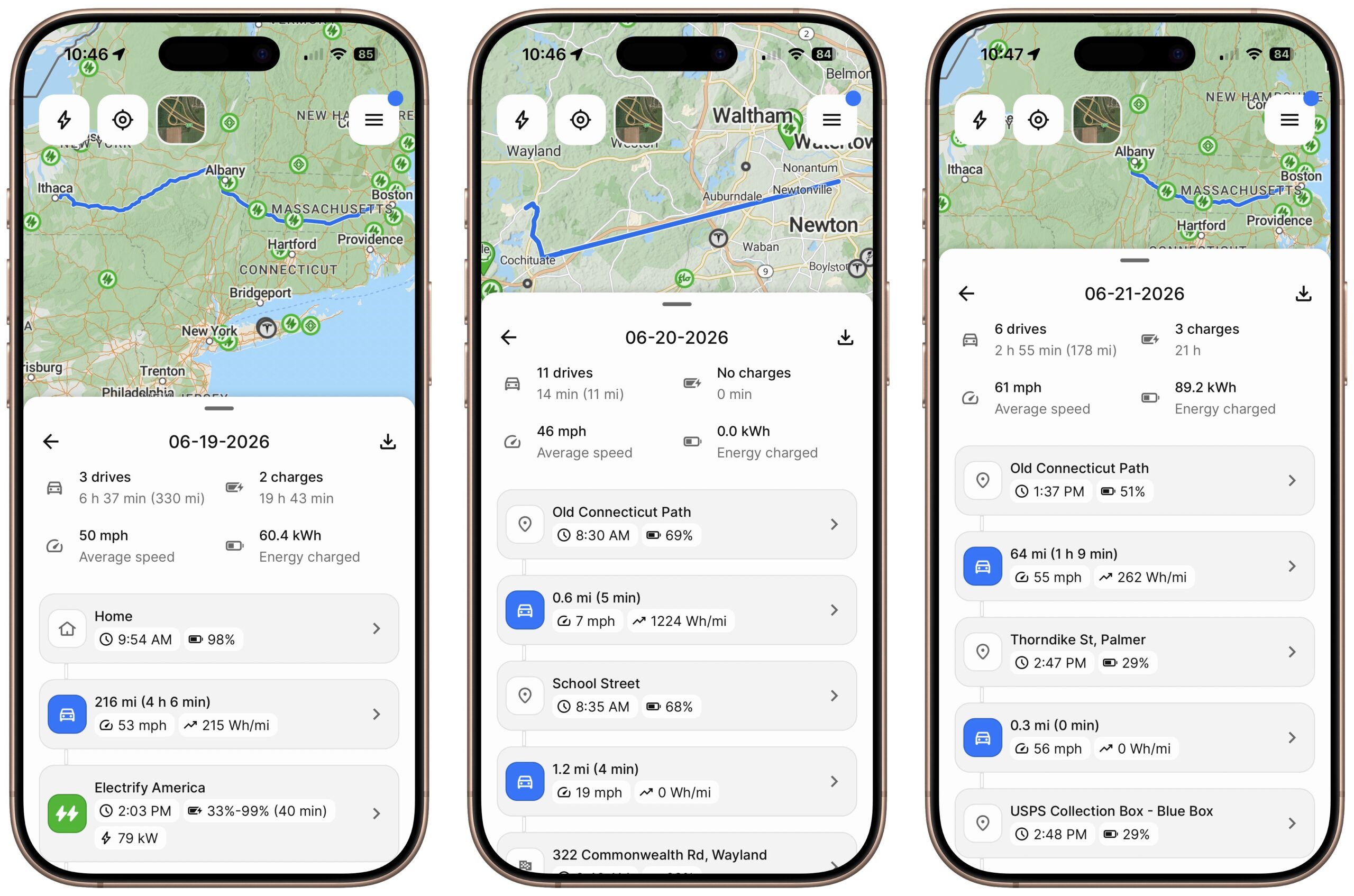
For this trip, I made a few changes. First and most importantly, I subscribed to the premium version of A Better Route Planner (ABRP). Although the free version worked acceptably during my first trip, I realized that several premium features would be helpful. Prominent among those were CarPlay support, which would allow A Better Route Planner to display mapping and navigation instructions on the IONIQ 5’s screen, real-time live data from the car, live weather data for planning, and real-time traffic awareness for planning. The premium plan can also supposedly record every drive, and while it correctly captured most of the data on the longer portions of the trip that included charging stops, its data on other days was often incorrect or missing (note the straight line in the middle 06-20-2026 screenshot, and how the route incorrectly ends in Albany in the right-hand 06-21-2026 screenshot; we did make it home).
ABRP’s CarPlay support was helpful because it enabled me to use ABRP’s route planning for navigation, rather than having to transfer destinations to Apple’s Maps. Plus, the CarPlay app displayed ABRP’s estimate of how much charge we’d have at each stop, so I didn’t have to do any calculations to compare remaining distance to remaining charge.
I strongly suspect ABRP is using the Maps API, since it looked and worked a lot like Maps. It was fine, but it didn’t seem to do as good a job as Maps at providing contextual instructions (“go through this intersection and at the next stop sign, turn left”), and although you can download additional voices (in Settings > Accessibility > Read & Speak > Voices), ABRP accepted only US English voices for me, not the Australian voices I prefer to smooth over voice synthesis quirks.
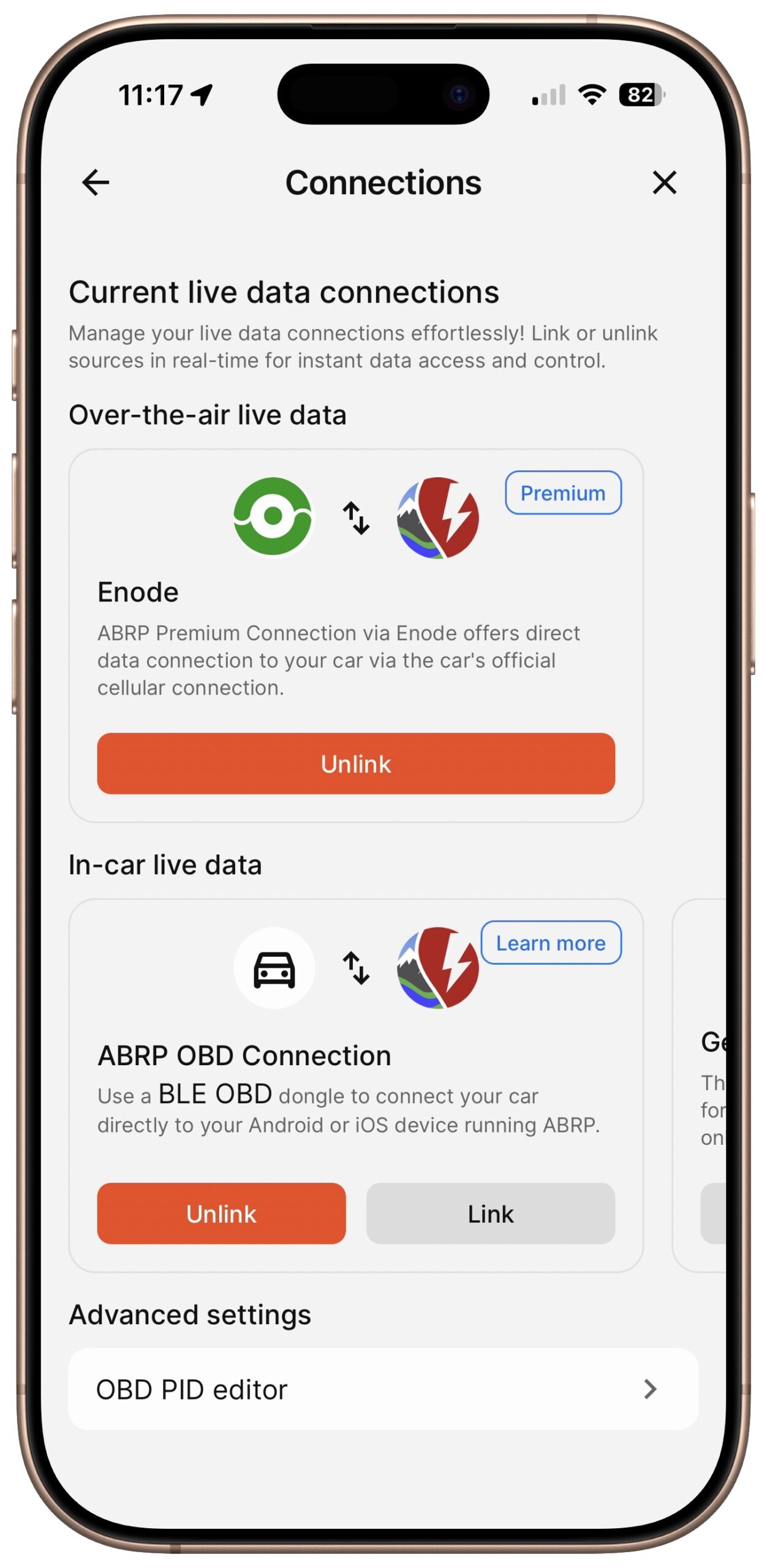
To help ABRP provide accurate range estimates, I connected the ABRP app to the IONIQ 5 in two ways. First was the Enode API, which allowed ABRP to access data from Hyundai’s Bluelink service (essentially the same data as what the MyHyundai app receives). Second, after hearing my discussion about the trip with Allison Sheridan on her CCATP #834 podcast, one of her listeners kindly sent me a Veepeak OBDCheck BLE scanner he no longer needed. Although ABRP doesn’t recommend that particular model, it seemed to work for me. Keep in mind that OBD scanners can pose a security risk, and some will drain the 12V battery if left connected indefinitely. If you connect ABRP to Bluelink or use an OBD adapter, review what data is shared and how to disconnect access later in Enode and your Hyundai account settings. Some research would be necessary to find a secure one that won’t draw power while not in use.
Neither the live weather data nor the real-time traffic data seemed to affect our trip. The weather was pleasantly warm and sunny the entire weekend, and since our charging stops were right off Interstate 90 each time, traffic was never an issue.
Route Planning
With ABRP better set up, I turned my attention to the trip planning. I realized it would be smart to plan the full round trip rather than treat it as two one-way trips. That would reduce the chance of being surprised by a low battery when we were ready to drive home. In reality, because we were in a major metropolitan area, we were never more than 5 or 10 miles from a high-speed charger, so ad hoc charging wouldn’t have been a problem. But I didn’t want to leave anything to chance.
There were a few minor hiccups in this strategy. First, I was planning a three‑day weekend, but ABRP assumed I was doing it all at once, which led to some very weird arrival times. I could imagine the algorithm making less‑than‑optimal choices based on those arrival times as well, so once it suggested charging stops that seemed reasonable (and had nearby backups), I hard‑coded those into the trip stops.
Second, we had a few hours to kill between the bat mitzvah service and an evening picnic, so Tonya and I decided on the spur of the moment to visit the deCordova Sculpture Park (highly recommended!), which added some unanticipated mileage, though not enough to upset any estimates. Slower city driving takes longer, but it usually consumes less power than fast highway miles.
Third, I had planned to arrive at our friend’s house—where we were staying overnight—with a 60% charge. (We could have plugged in there, but 110V charging speeds add only about 1% per hour, so we didn’t want to depend on that.) That provided plenty of buffer for the trips the next day, and when it came time to leave on the final day, it didn’t seem to make sense to stop for the first of our two necessary charges right away, as I had initially planned. So I let ABRP replan the trip home, and it picked two different charging stations to split up the trip more evenly.
Because we were going to have to charge at least three times no matter what, I set relatively high arrival charge levels to eliminate any stress about whether we’d be arriving at a charger with a low battery. ABRP reports on charger status, but even if one had just failed, we could easily have gotten to another one with the 30% or more charge we had remaining.
The final tweak I made, partly to increase buffers, was to charge to 80–100% at each stop. ABRP doesn’t recommend this by default because charging is fastest in the 10–60% range, after which it slows down. That biases ABRP’s routing toward more frequent, shorter stops, whereas I prefer stopping less often for longer. Because the IONIQ 5 charges particularly quickly in its sweet spot, filling it up beyond that seemed to add only 10–15 minutes, which was less than another stop. Vehicles that charge more slowly may lead to different trade-offs.
Driving and Charging
As on my first trip, I chose to drive in Eco mode with Level 3 regenerative braking, and I set the cruise control to follow the speed limit (or the car ahead of me) nearly all the time. That may have surprised ABRP: it often estimated an arrival at 30% state of charge, but we’d reach the stop at about 36%. I can’t complain about cautious estimates, though they were consistently low enough that I could have reduced my arrival buffers without worry.
As it worked out, our first charging stop was at an Electrify America station at an outlet mall. It took so little time that we barely had time to eat a quick lunch before we had to unplug and move the car so we wouldn’t be charged for idle time while attempting some audibly painful and entirely fruitless shopping. I had used Electrify America stations on my previous trip, so I was familiar with the app.
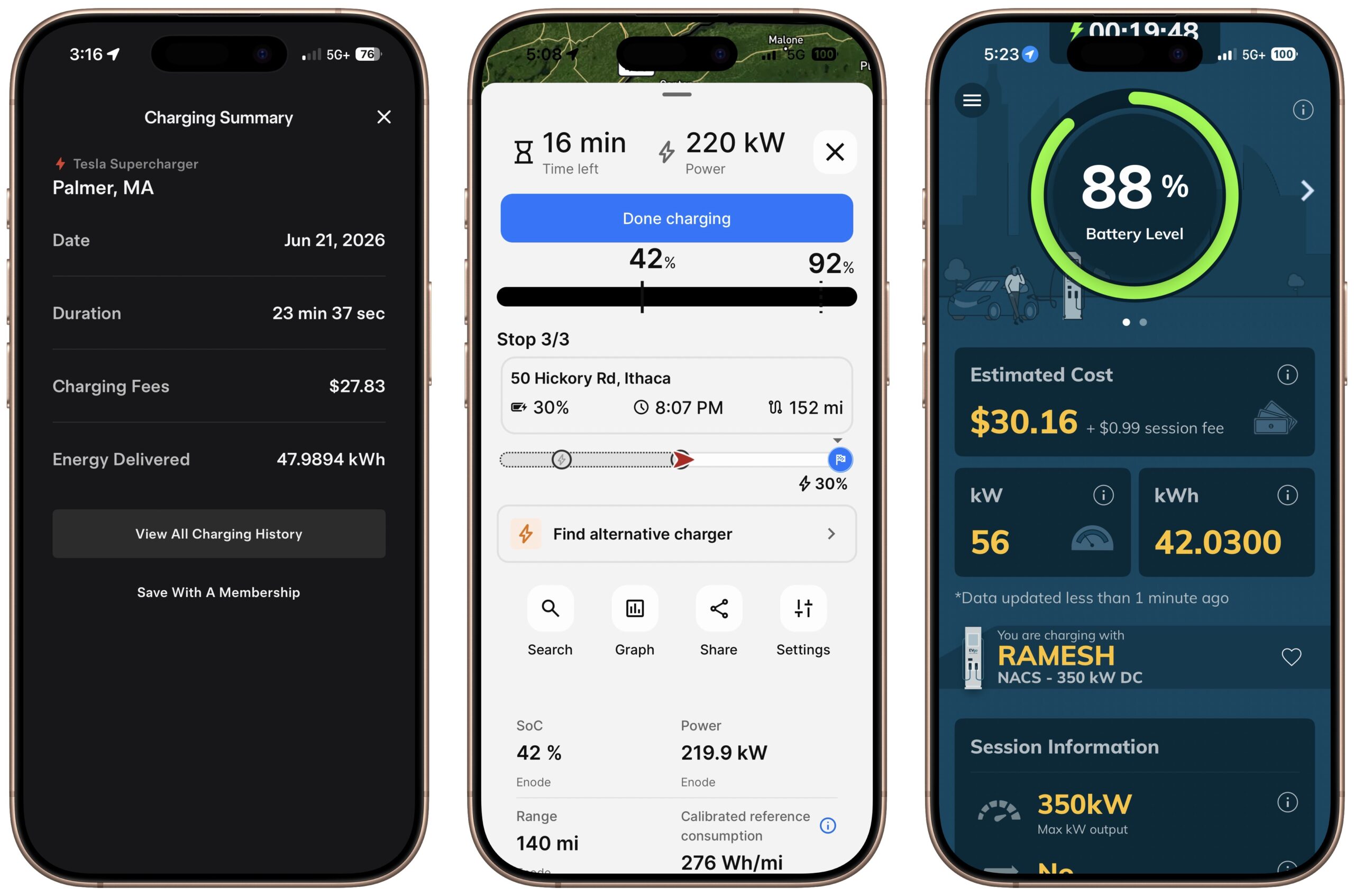
The second charging stop, however, was at a Tesla Supercharger. Because our 2026 IONIQ 5 has the Tesla NACS port, it was no problem to plug in and start charging. Owners of cars without a native NACS port will need support from Tesla and a NACS adapter. As you might expect from Tesla, the only way to start and pay for charging was with the Tesla app, which I had previously downloaded and configured. It was a little confusing because it’s the same app Tesla drivers and Powerwall owners use, but once I set it up, it offered a straightforward charging flow for non-Tesla owners (below left).
The third stop was another new-to-me charging network, EVgo. It would have allowed me to pay with a credit card, but since I didn’t know that, I had already downloaded and configured the EVgo app. ABRP (below center) reported on the charging progress in lockstep with the EVgo app (below right).
Pricing for the stops varied a bit. Electrify America charged $0.64/kWh, Tesla charged $0.58/kWh, and EVgo charged $0.72/kWh. Those prices were higher than the $0.48–$0.56/kWh I paid on the previous trip, perhaps due to tax differences between Pennsylvania, New York, and Massachusetts, or seasonal pricing. Regardless, none of the bills felt extravagant.
Takeaways
Overall, planning the full round trip in ABRP, setting generous arrival buffers, and charging to 80–100% kept the weekend stress‑free. Charging itself was essentially boring. Our two stops on the way home didn’t correspond with meals, so we walked around two outdoor malls that had nothing of interest beyond bathrooms. We liked stretching our legs during the long drive, but if it had been dark, we probably would have stayed in the car—the malls didn’t feel like the best places to linger after hours. Although ABRP does list amenities near each charging station, you can’t really tell if it’s a nice area or not, and the charging stations do tend to be on the edges of shopping areas.
We have another summer trip to Vermont planned for a family wedding in August, so it will be interesting to see if this approach holds during that trip as well. For the moment, though, I’m extremely happy with how easy and stress-free the process was. It did require more planning than I would have done for a road trip with our gas-powered Subaru Outback, but it wasn’t that long ago that gas stations—particularly those with 24/7 pay-at-the-pump systems—were far from ubiquitous. I remember some extremely stressful moments when we were low on gas in an underserved rural area or late at night when many gas stations were closed. I’m happy to trade that stress for some advance planning in an easy-to-use iPhone app.
Start the discussion in the TidBITS Discourse forum