AppBITS: adoc Studio Eases AsciiDoc Publishing
Having spent 10 years writing tech books and another 14 publishing Take Control Books, I’m a sucker for publishing systems. Even though I no longer create long, structured documents, I couldn’t resist checking out adoc Studio, a new Mac, iPad, and iPhone app from ProjectWizards, the German company behind the powerful project management app Merlin Project. (When we met CEO Frank Blome—see “Three Highlights from MacTech Conference 2015,” 9 November 2015—I lamented to him that our son hadn’t been taught anything about project management in school, only to learn that it’s part of the primary school curriculum in Germany. Of course it is)
adoc Studio is an environment for creating and previewing text written in AsciiDoc, a plain text markup language aimed at technical content. AsciiDoc is extremely similar to Markdown but focuses more on the semantic elements of a text—items like headings, sidebars, blockquotes, references, admonitions, equations, and comments. It also boasts powerful features for modularizing and reusing text with includes, conditionals, substitutions, and passthroughs. Although you can create AsciiDoc in any text editor, manage it with any version control system, and publish to many output formats, it generally requires installing, maintaining, and interacting with command-line tools.
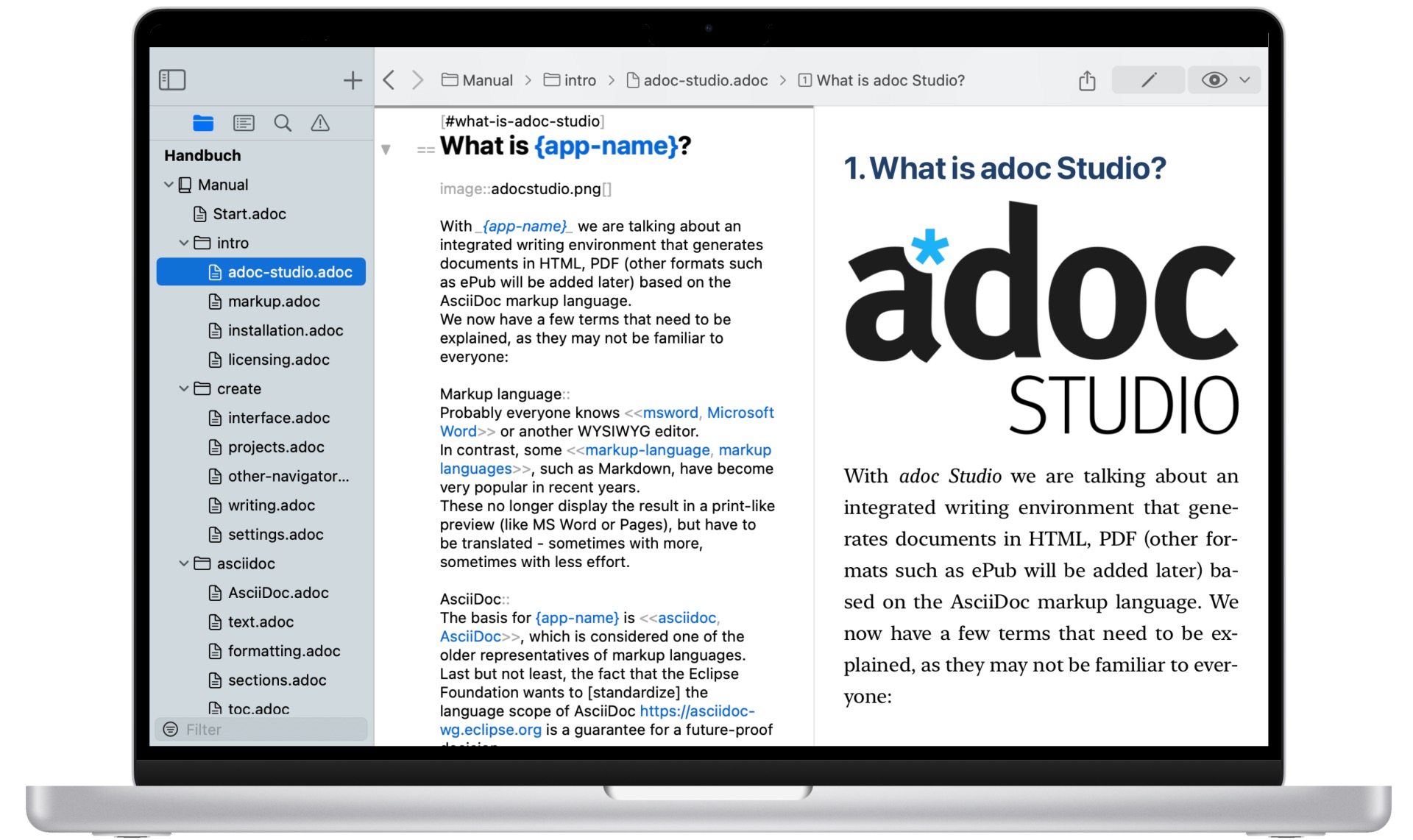
The genesis of adoc Studio came from ProjectWizards’ desire to write AsciiDoc on the iPad, which doesn’t include a command line. The main adoc Studio window shows a sidebar listing files in play, a text composition pane where you write AsciiDoc, and a preview pane showing the formatted version. The adoc Coach helps you insert complex AsciiDoc blocks—for instance, adding an image requires a filename and takes options for size and alignment. The app also identifies and helps you correct syntax errors. Use the sidebar when you’re creating and working with composite documents, such as the chapters of a book, and adoc Studio simplifies tasks like making references to elements elsewhere in the same document or within other documents in the project. It can export HTML and PDF, each with multiple attributes that pull in the appropriate data. For instance, you could publish a manual for an app that runs on the Mac, iPad, and iPhone, each with the appropriate screenshots for its platform.
All this is overkill for most small works, but for serious technical publishing projects that could benefit from the capabilities of AsciiDoc, adoc Studio makes the process far more approachable and faster for those who don’t already spend their lives on the command line. adoc Studio costs $9.99 per month or $99.99 per year for all three versions.


This looks very promising, once I get my head wrapped around how everything works.
I’ve been looking for a tool in which to write my documentation which allows me to work with complex formatting. I’ve tried Markdown but have been tripped up with integrating graphics in such a way that they work well with the text.
I’ve used a lot of different tools over the years (PageMaker, FrameMaker, InDesign, WriteNow, Word, Pages and many more). As you see from the list, many of those no longer exist (for a current macOS version and hardware) and anything I wrote using some of those older tools is pretty much inaccessible now, at least without a fair amount of effort.
While I’m sure that image formats will be my eventual stumbling block, I won’t have to worry about reading the text which I wrote, which might be much more valuable than the pictures.
I’m diving in with the demo and looking forward to recreating some recent documentation.
Oh great, need to check this out. I just finished a long documentation project with mkdocs-material, which is quite nice, but it still gets a bit messy if you need special formatting.