Lessons from 14 Years at a Standing Desk
After seeing the photo of my new 14-inch MacBook Pro and Apple Studio Displays in “Switching from a 27-inch iMac to a 14-inch MacBook Pro: A Fresh Start” (30 June 2025), TidBITS reader David Price expressed curiosity about my standing desk. Although the standing desk is a significant part of my work life and a topic we’ve covered in the past, I’ve said very little about my setup.

How I Came to Work at a Standing Desk
I couldn’t remember precisely when I reconfigured my desk from a sitting to a standing position, but a search on “desk” in Photos revealed that it changed in October 2011, nearly 14 years ago. Seeing every photo that I’d ever taken of my workspace since 2002 was fascinating, and while the photo quality isn’t always great, particularly early on, you might enjoy flipping through this slideshow.
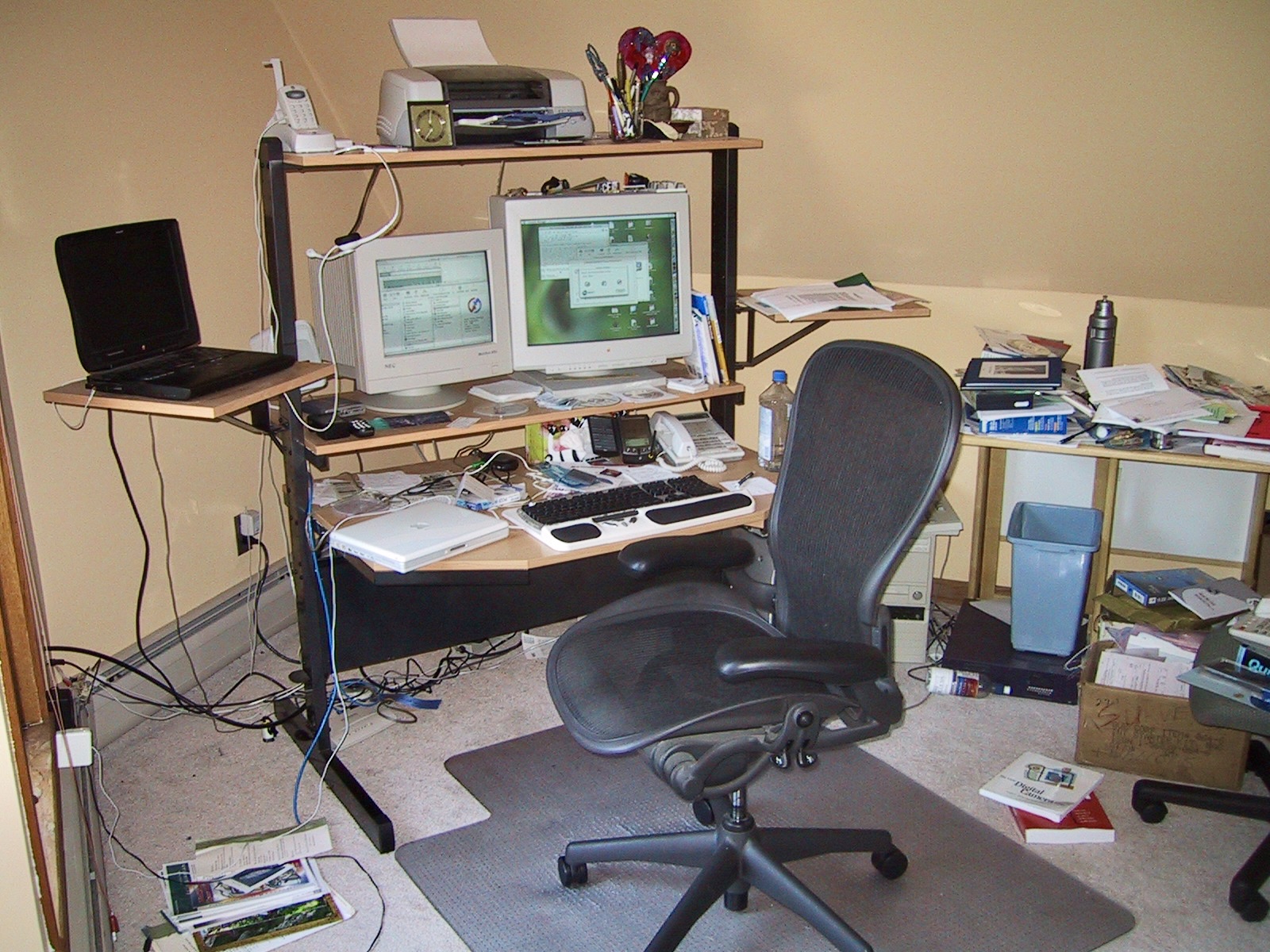
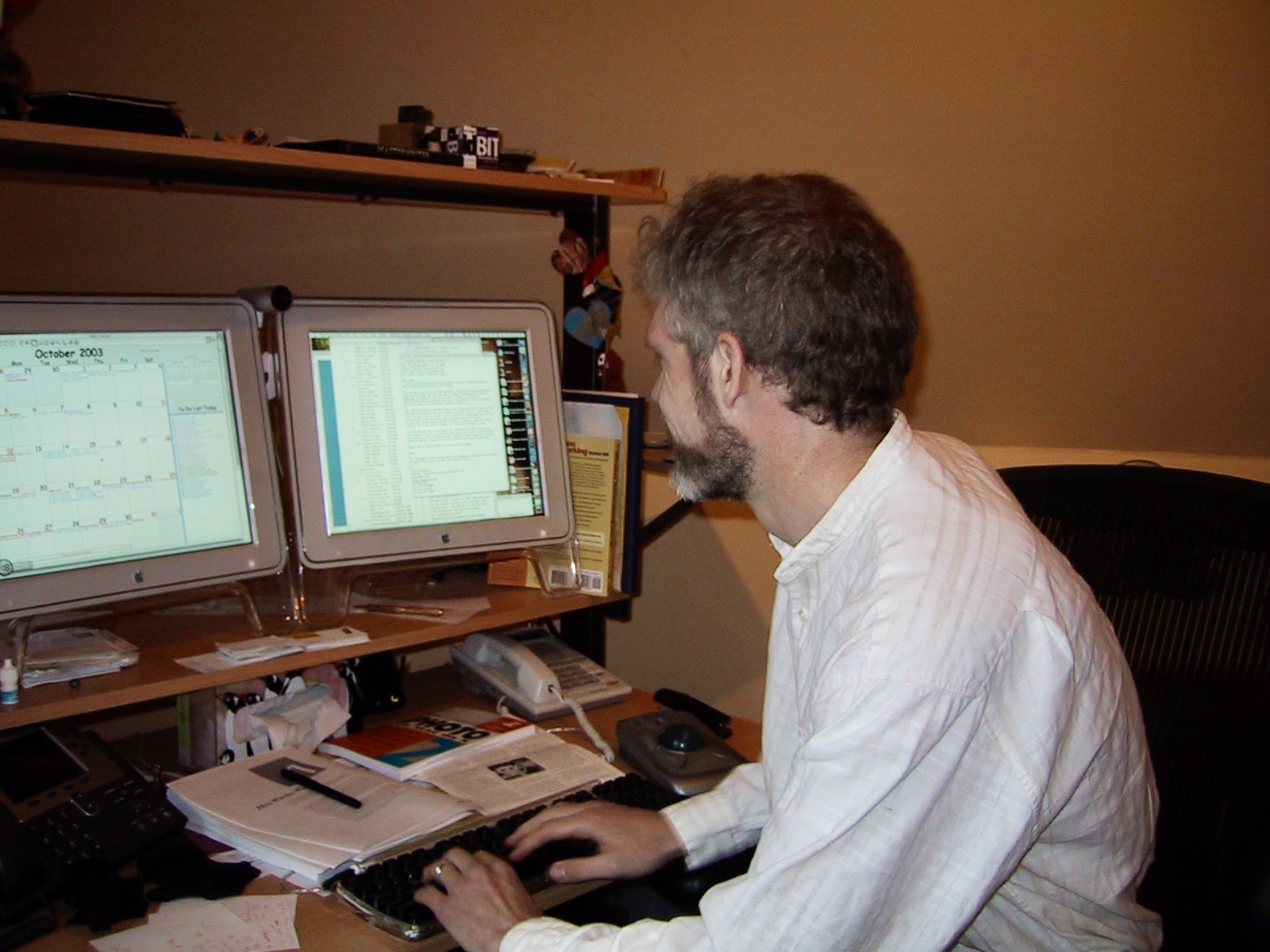

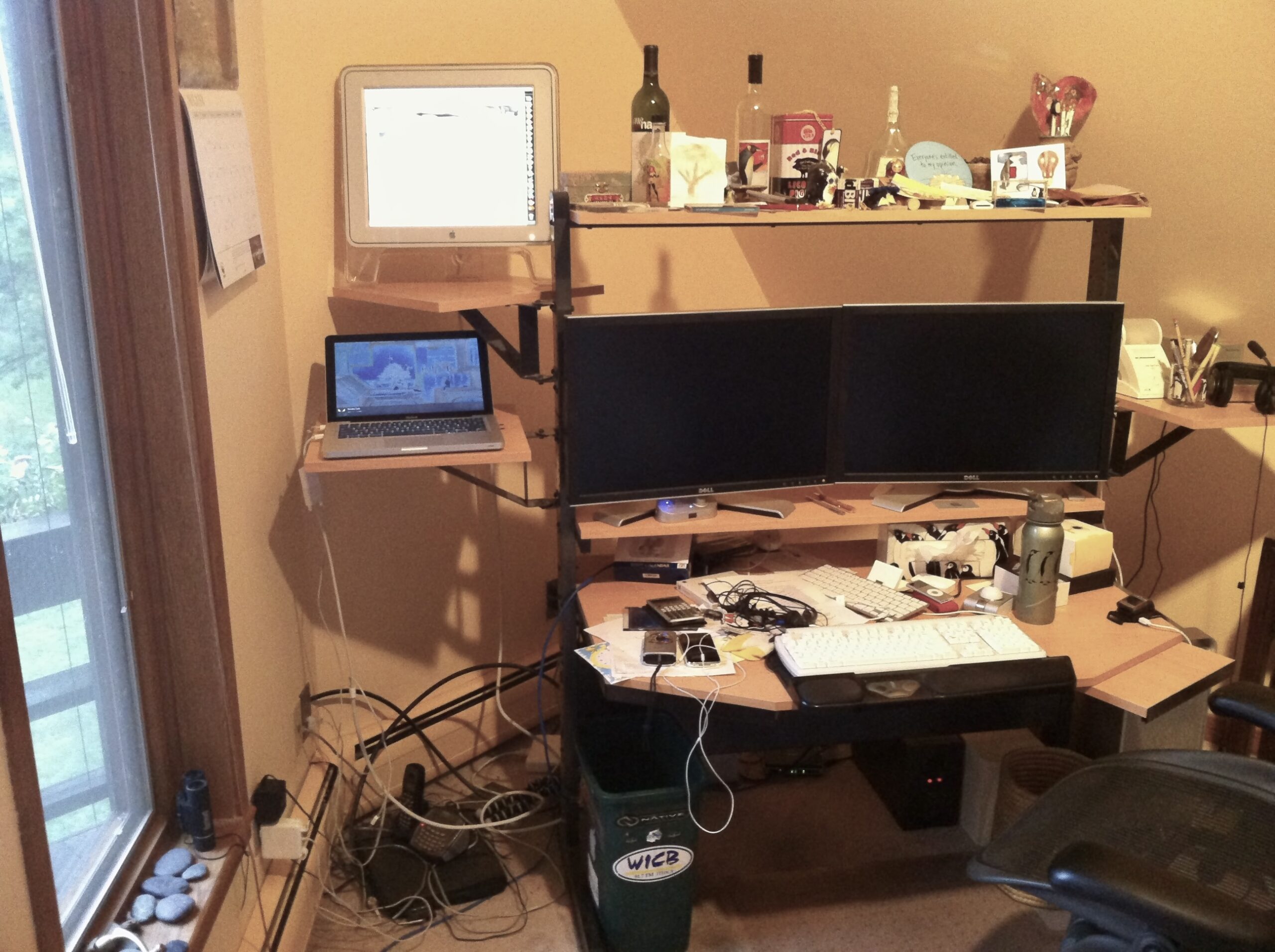
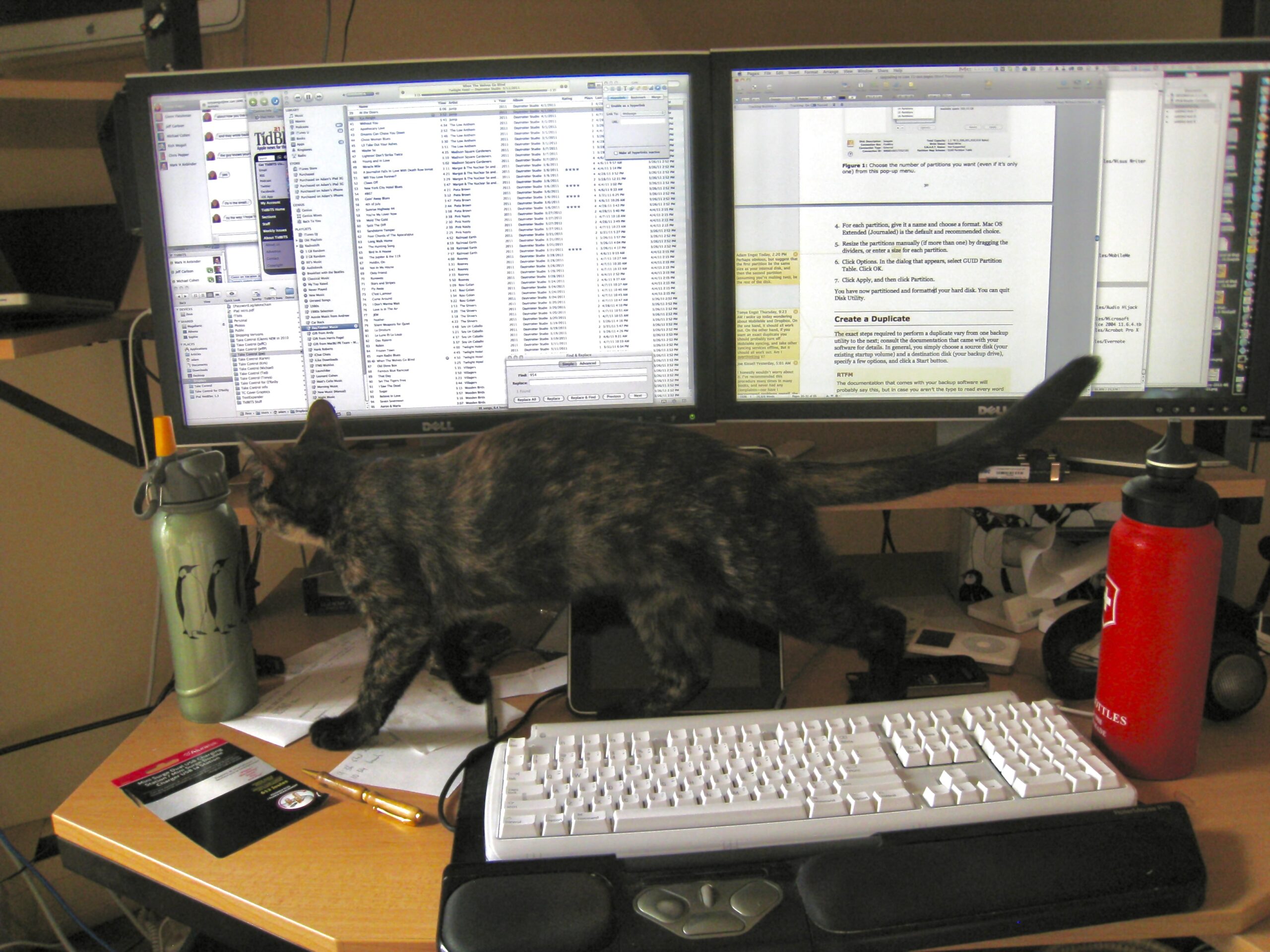

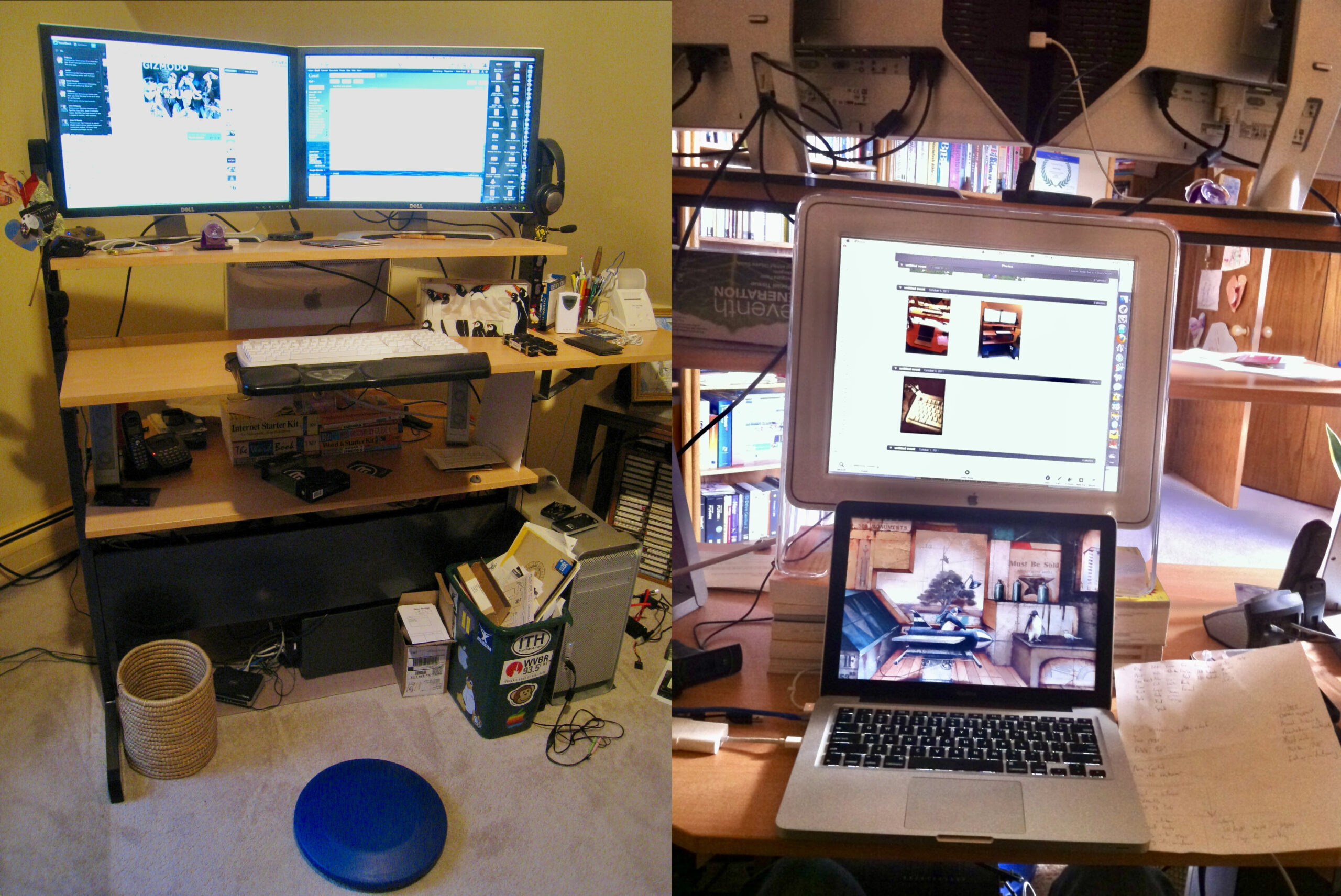
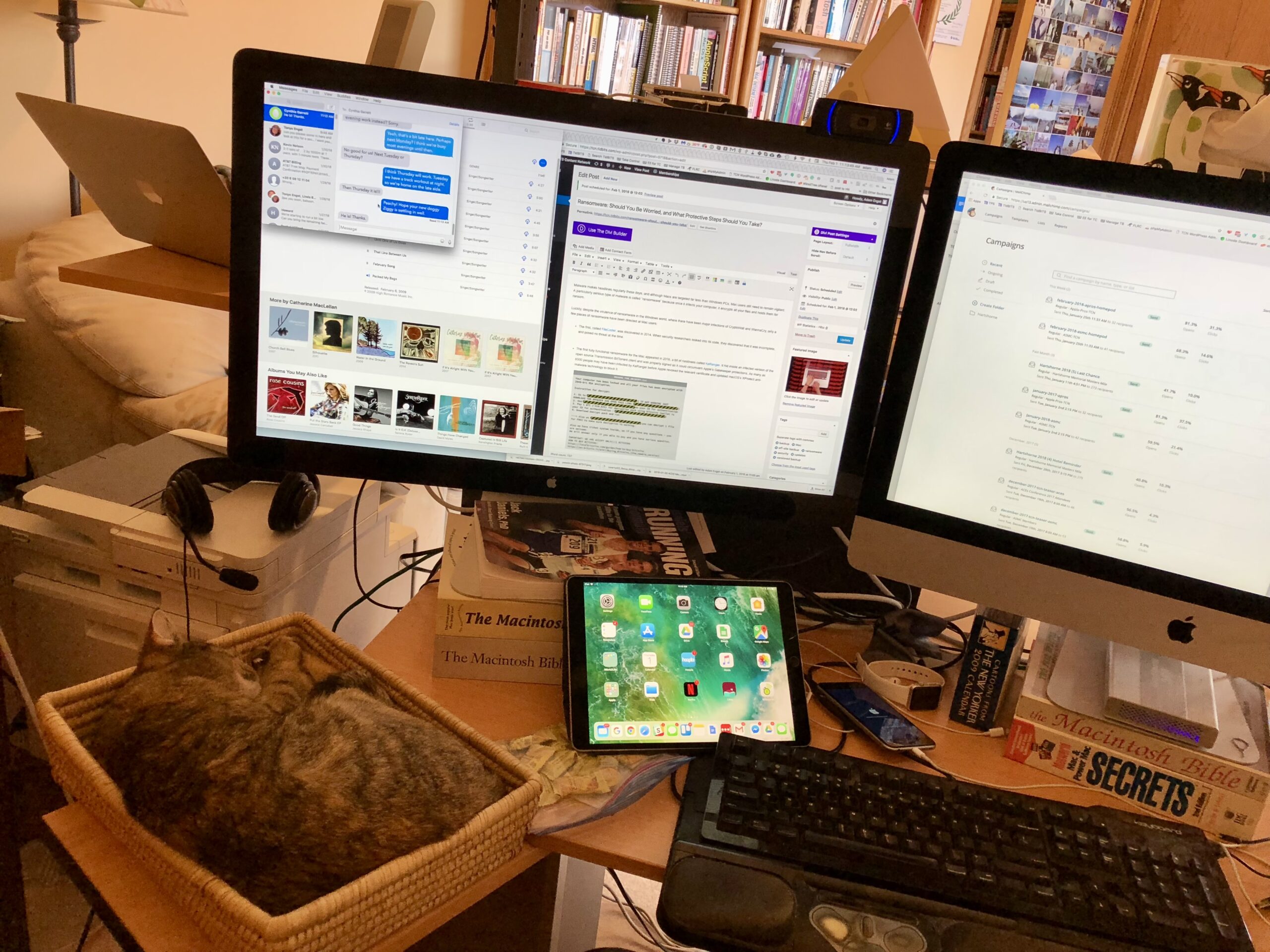
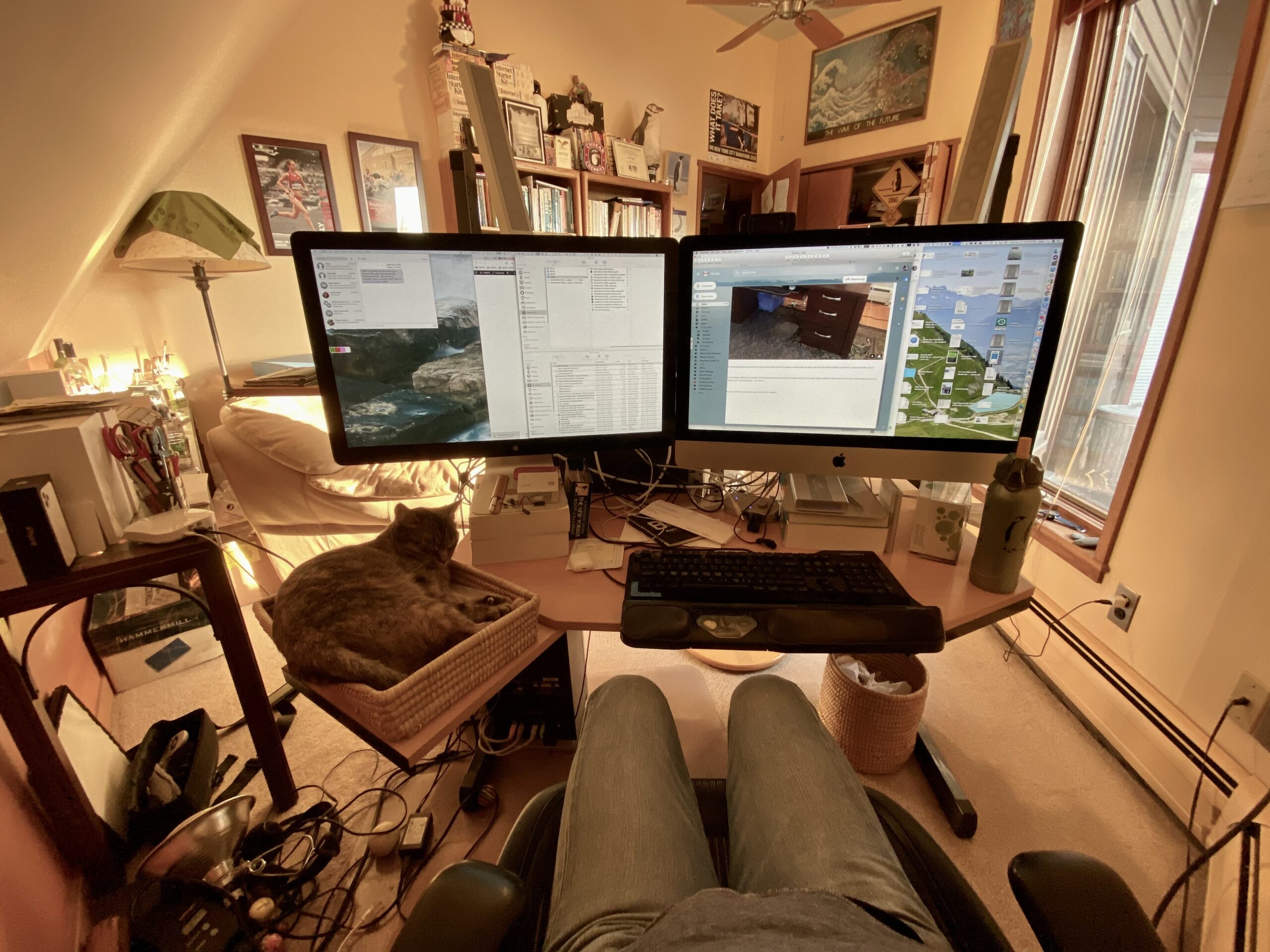
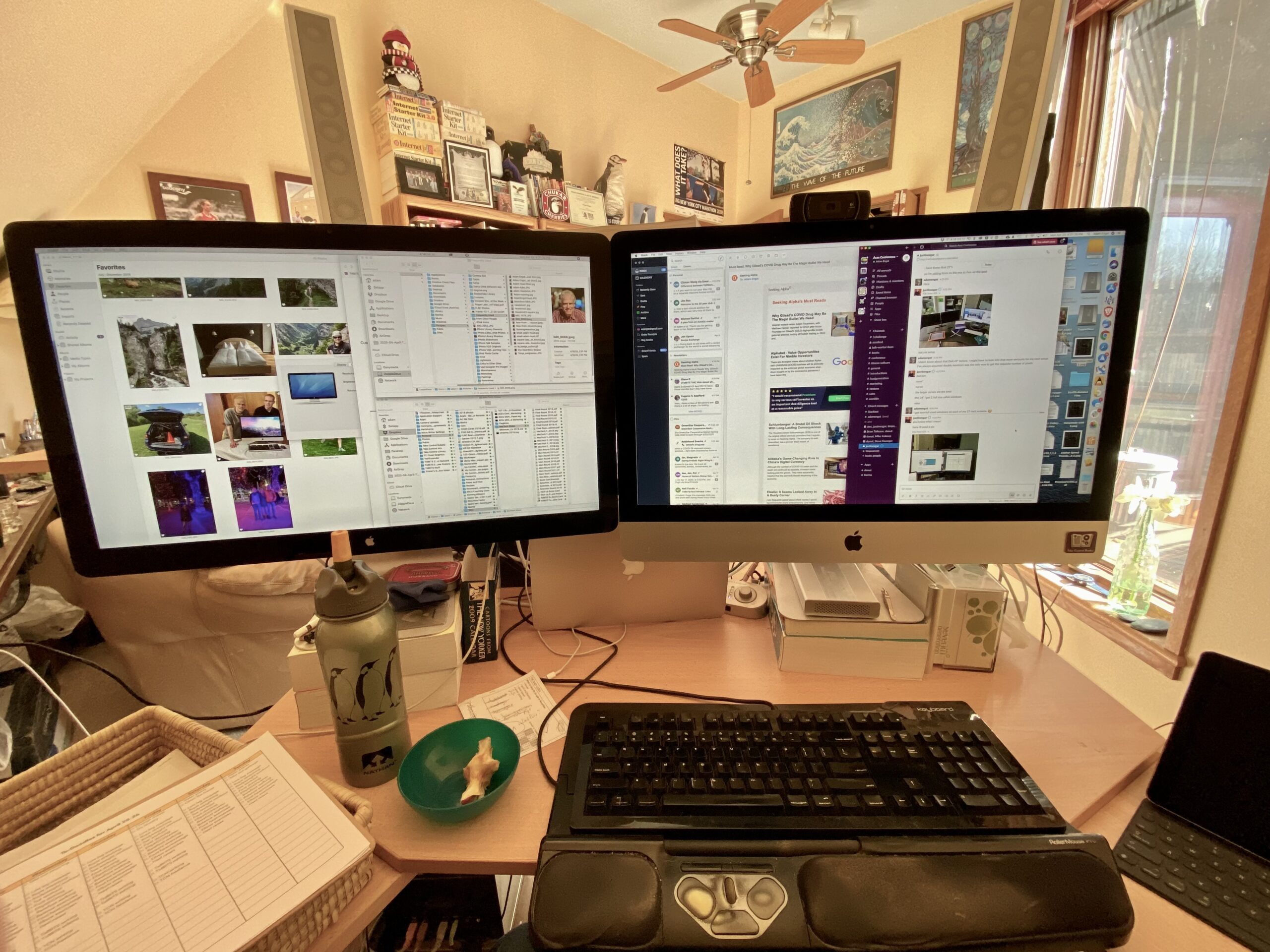
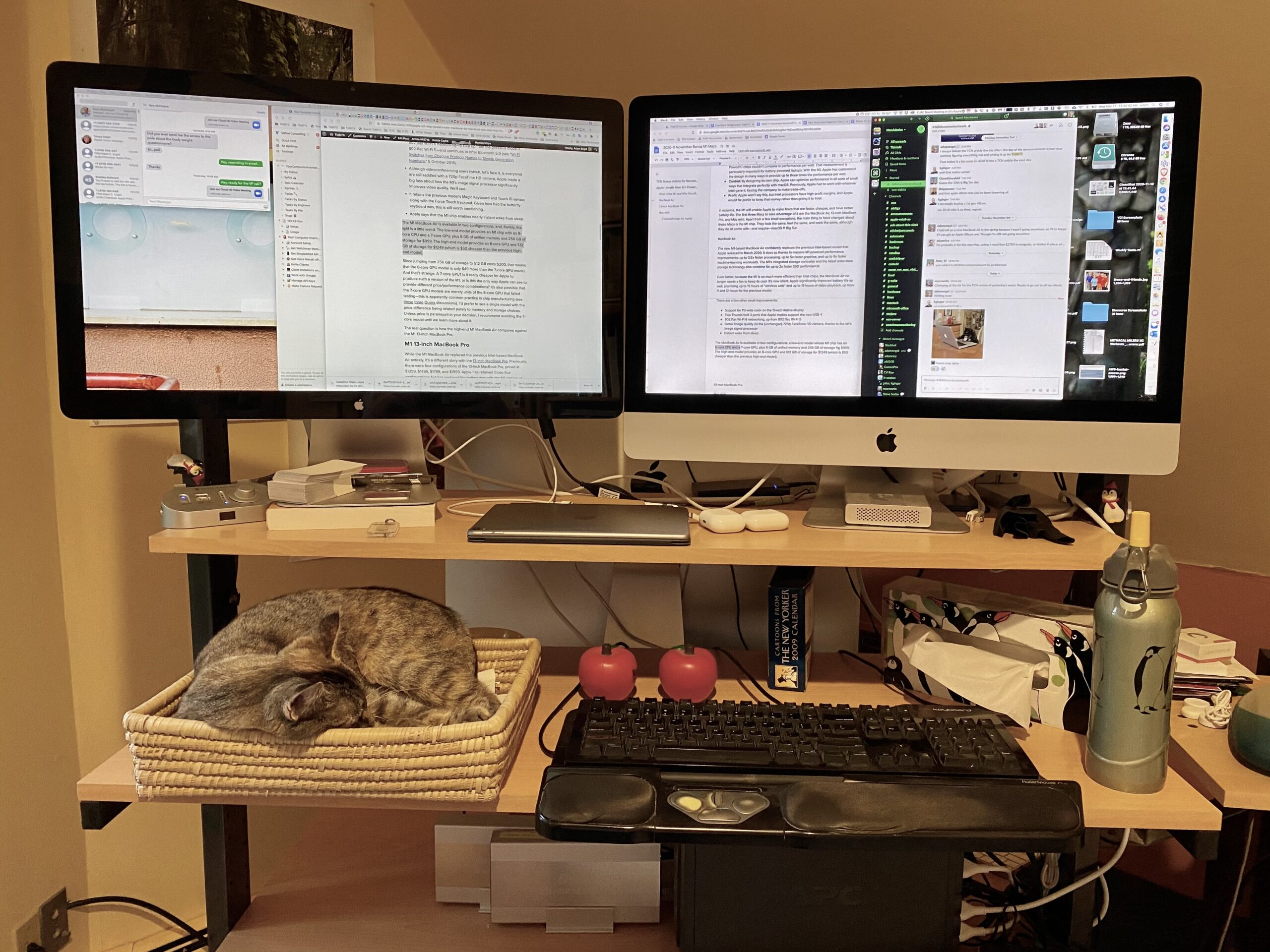



Finding photographic evidence prompted me to turn to my email archive, where Gmail’s version of Gemini proved an effective way to search, revealing that I first started discussing standing desks in July 2010, when I asked Lex Friedman to write “Your Chair Is Trying to Kill You” (28 July 2010) about the New York Times coverage of health issues associated with sitting. Then, in June 2011, Michael Cohen told everyone working on Take Control at the time that he had bought an IKEA Fredrik workstation to use as a standing desk. By this time, the phrase “Sitting is the new smoking” had entered the mainstream consciousness. Since I have always been a high-energy person who fidgets constantly and doesn’t sit well, I finally put the effort into tearing my desk apart and rebuilding it for standing use.
I’ve long been interested in ergonomics—in the early 1990s, we even created an ergonomics handout with Seattle graphic designer Jon.Hersh (see “Caring For Your Wrists,” 15 March 1993). While that document focused on wrist problems in a sitting position, its core principles about maintaining neutral postures and avoiding repetitive strain still apply to standing setups. These ergonomic considerations guided the configuration of my standing desk, which has undergone slight adjustments over the years.
Modifying the IKEA Jerker Desk
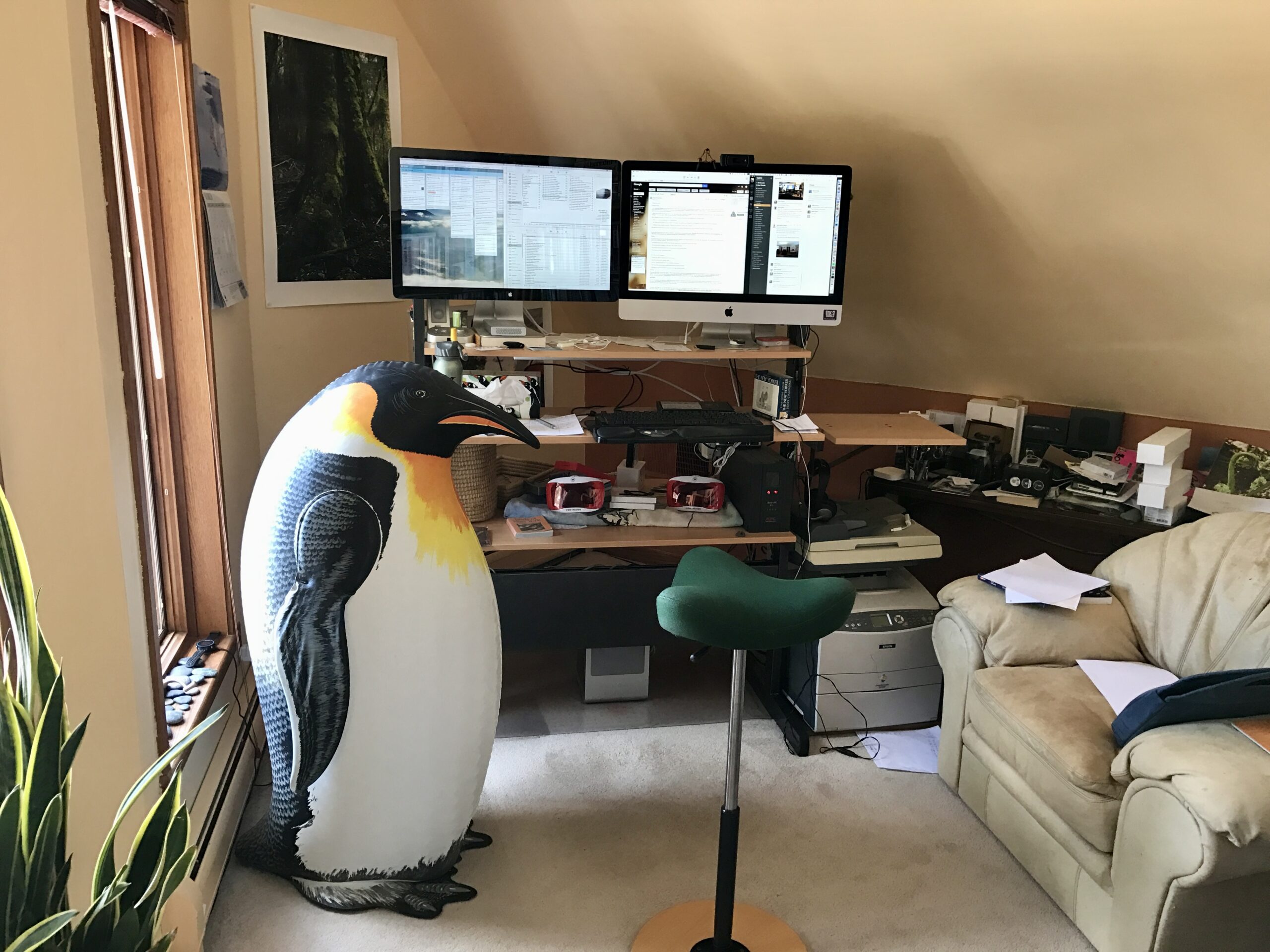
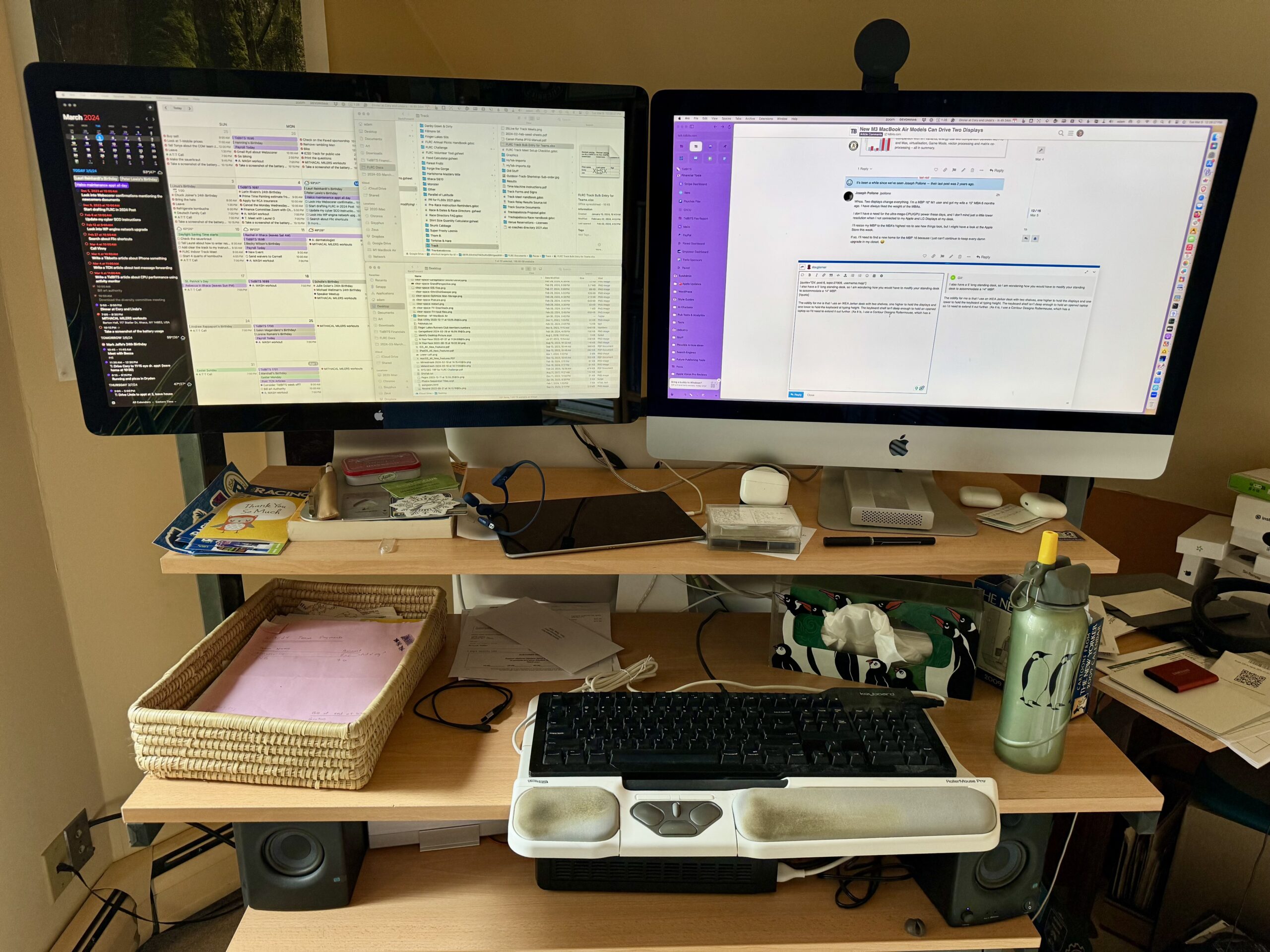
My current desk setup is highly unusual, and it could only be recreated through places like Craigslist or eBay, as it’s a mashup of two discontinued IKEA Jerker desks that Tonya and I purchased in the mid-1990s when we lived in Seattle (see “You Move Me,” 30 October 1995). The Jerker design features two upside-down T-shaped columns studded with numerous holes, to which you can attach multiple shelves at nearly any height. The idea was to have a large desk surface at typing height, a thinner shelf above that to hold monitors, and yet another shelf at the top for books. You could even add swing-out shelves on the sides for a printer or the like—that’s what my microphone is clamped to on the right side. It was designed to be a sitting desk, but I’m not the only one who has rearranged the shelves for use while standing.
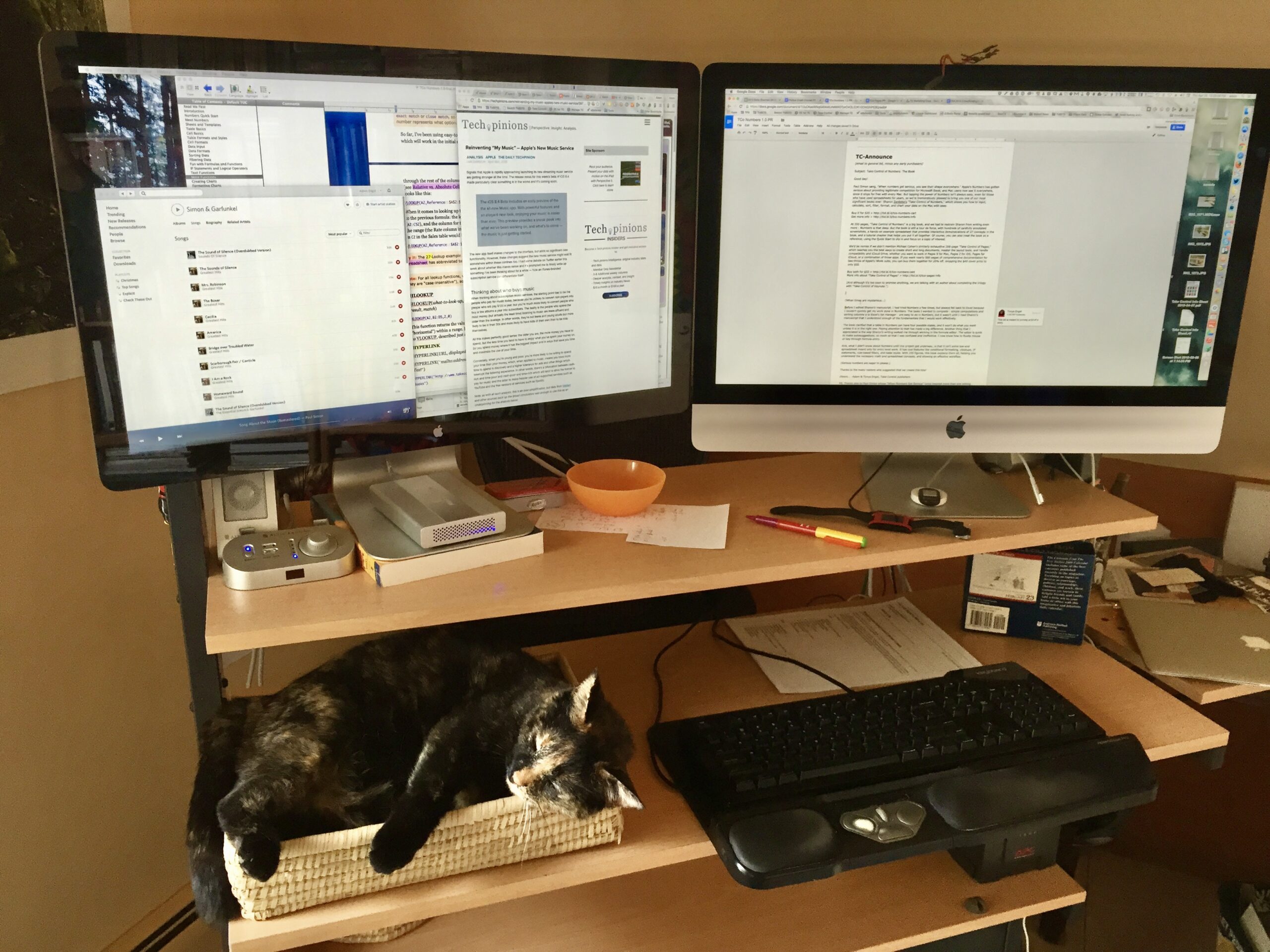
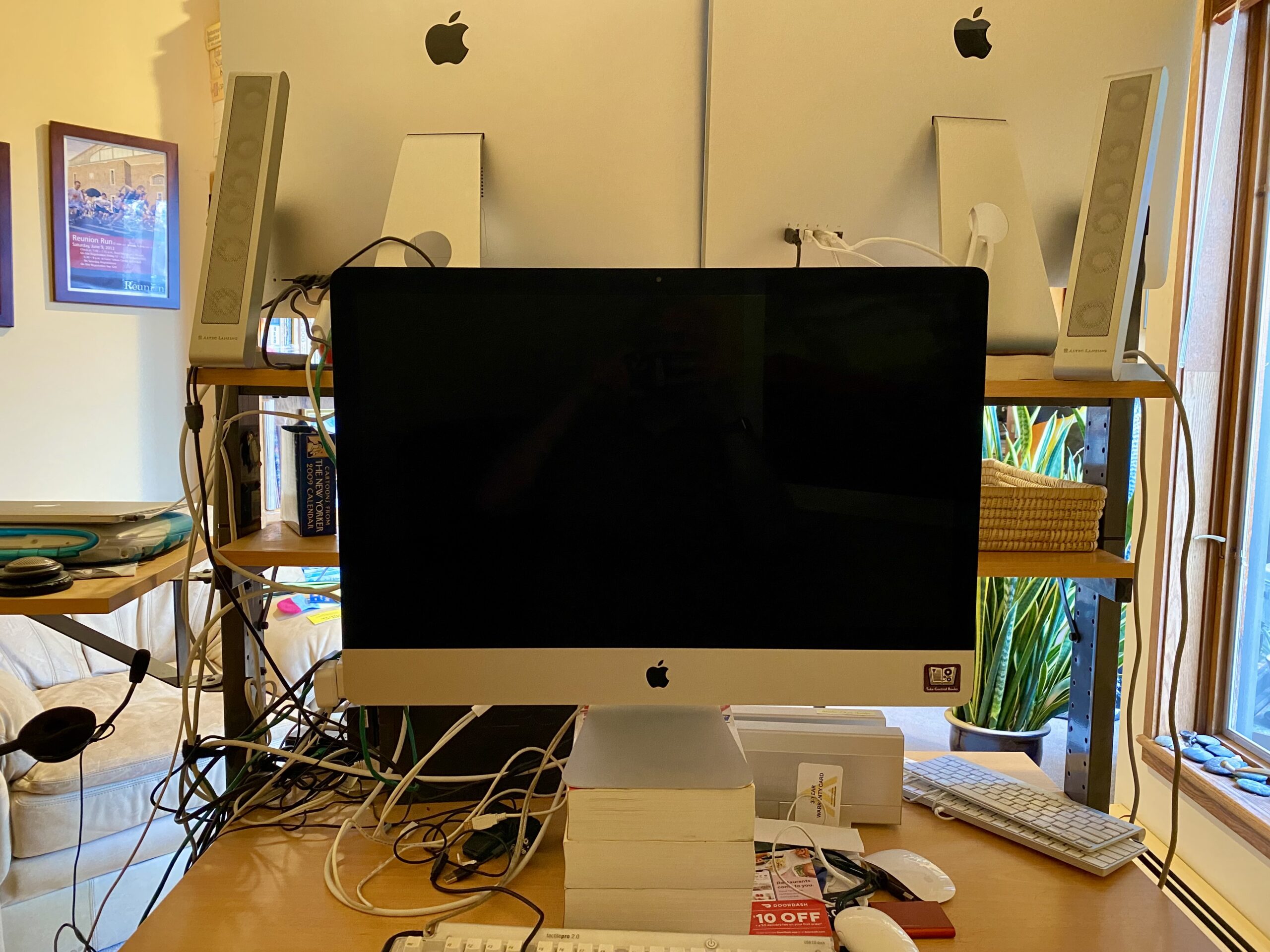
Along with that swing-out shelf, I now use three full-width shelves. The bottom one is a large desk surface that currently holds my old 2020 27-inch iMac on the back side of the desk (facing away from the camera in the photo above) and is configured so I can work sitting down in an Aeron chair I’ve had for several decades. Previously, I had it set up so I could use my M1 MacBook Air back there, attached to a 27-inch Thunderbolt Display.
Although I’m currently comfortable with standing (or perching, as I’ll explain shortly) all day long, there are times when I do want to sit down. With the MacBook Air, I also sometimes worked there as a way to reduce distractions from everything happening on my main Mac. I’m still too enthralled by the novelty of working on the 14-inch MacBook Pro to have reconfigured the iMac for distraction-free usage.
It’s difficult to see in these photos, but I can store my UPS, speakers, archival hard drives, and rat’s nest of cable under the main desk surface (at the back of the opposite side’s sitting desk surface). That’s handy because some cables wouldn’t be long enough to reach from the floor, and everything is fairly readily accessible while still being largely out of sight.
Back at the standing side of the desk, the second shelf up is the large desk surface that I recently cannibalized from Tonya’s Jerker desk. Previously, when I was using the iMac, the second shelf was a smaller offset shelf that extended 12 inches in front of the uprights and 3 inches behind. That was sufficient for holding my keyboard and RollerMouse Pro (still connected to the iMac on the back side), but it didn’t provide enough space for the MacBook Pro to be open for typing.
The larger desk surface, which extends 21 inches in front of the uprights and only 5.5 inches behind, provides ample space for all my needs. The height of the desk surface allows my elbows to maintain the ergonomically recommended 90º angle while typing. It also features slide-out shelves on each side; that’s where my MacBook Air is sitting. I seldom use those slide-out shelves, but they are occasionally welcome for increasing the available space.
(The wicker inbox on the left side holds papers for our cat to sleep on. Like our previous cat, she enjoys wedging herself into slightly too small boxes, and it’s even better if you get to sleep on the person’s papers.)
The top shelf—symmetrical, extending 5.5 inches both in front of and behind the uprights—may have been designed for books, but it’s perfect for positioning my Apple Studio Displays. The height allows me to maintain proper ergonomic positioning: my eye level is approximately a quarter of the way down the screen, creating a roughly 15° downward viewing angle, and the displays sit at arm’s length to prevent eye strain. If I wanted, I could use the 17-inch upright extenders from Tonya’s desk to add yet another shelf above the displays.
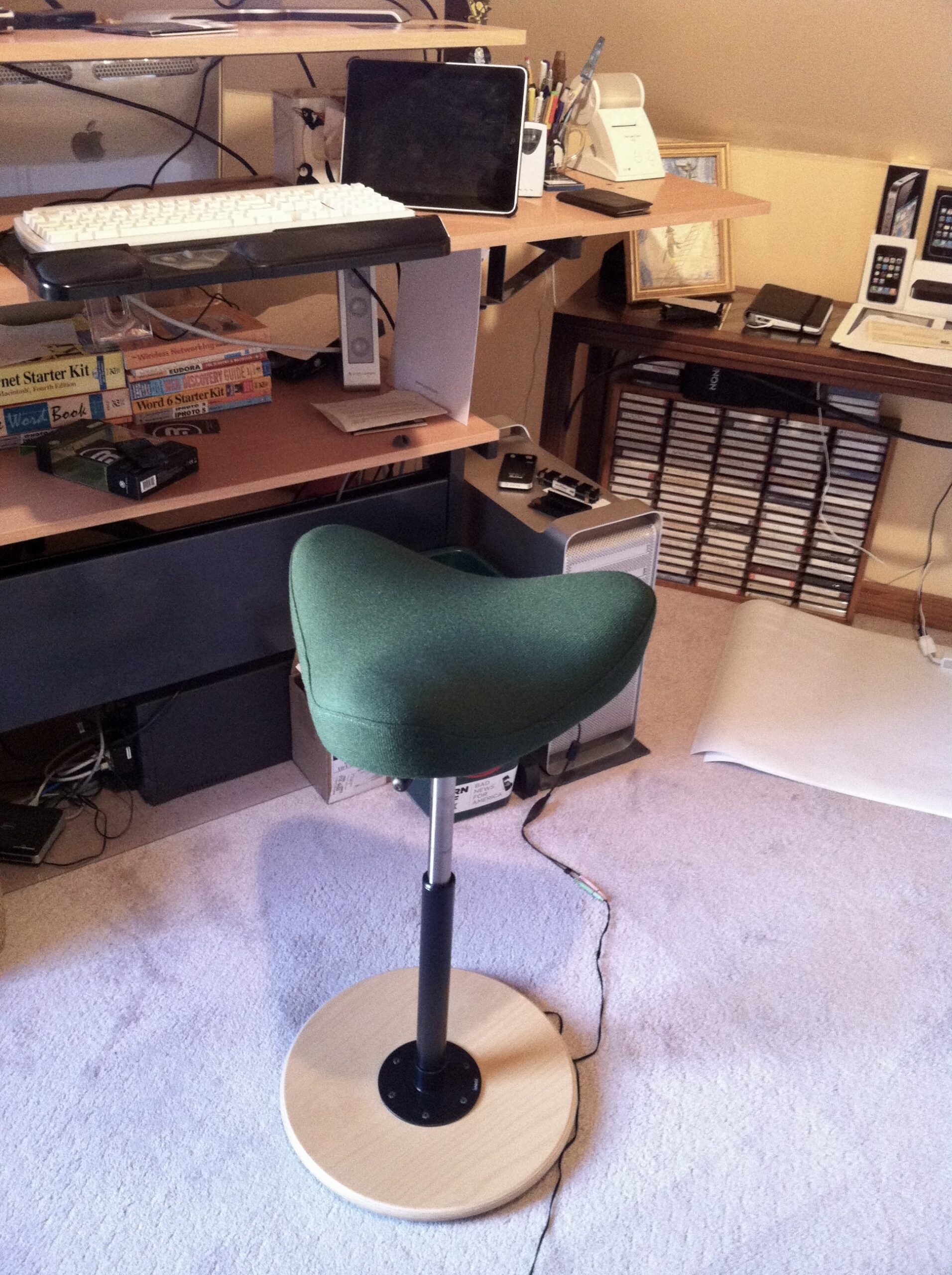
The final piece of my setup is the Varier Move tricorner “chair,” although I always refer to it as a standing stool. It provides a triangular seat on a stalk with a rocking base—you can see how it works at the Varier site. The seat rotates and the stalk adjusts vertically, making it easy to perch on while maintaining a mostly straight posture—many of the problems associated with sitting result from staying bent at the waist for too long. With the stool, I can take some weight off while remaining mostly straight.
Working at the Desk: Standing and Managing Multiple Displays
I frequently switch between standing and perching throughout the day. I don’t know exactly how my standing versus perching time breaks down because I switch when one position starts to feel wrong. My guess is that I split my time between the two positions fairly equally, but I probably switch back and forth 20–40 times per day. Regardless of the specifics, it’s essential to stay active—the human body has evolved to require regular movement. As my physical therapist friends say, “Motion is lotion.”
When I’m standing, I move around quite a bit to pace around my office and look out the window. Although perching might seem more sedentary, I also regularly put one or both feet on the lower desk surface and generally fidget.
Although I’m not in a phase where I regularly want to sit down at the other Mac on the back side of the desk, that does happen at times. Sometimes I’m just tired and want to sit down; at other times, I might be dealing with some leg or foot pain that makes standing less comfortable. Various leg injuries have even caused me to move my primary computer to the sitting side of the desk for a few months until I can stand comfortably again. (It takes an hour or two to move everything, clean the accumulated dust, and rationalize the cable nest, so it’s not something I do lightly.)
When standing, I’m comfortable being barefoot in the summer or wearing running sneakers in the winter. That may be somewhat unusual—a lot of people don’t seem to enjoy having to be on their feet for much of the day. When she was trying out the idea of a standing desk, Tonya bought an ErgoDriven Topo pad to cushion her feet and encourage movement but didn’t end up liking it. I try it every so often, but it gets in the way of the Varier Move stool, and it hasn’t become something I use regularly.
The ergonomics of multiple displays requires careful attention—working with your neck turned for long periods can lead to strain and discomfort. A few years ago, Tonya had to stop using two big external displays because being anything but centered bothered her neck and back.
I’ve arranged my two Apple Studio Displays in a slight V orientation on the top shelf. This configuration maintains a consistent viewing distance as I scan across both screens, reducing the need to adjust my focus or posture. The MacBook Pro sits on the main desk surface, with various ambient apps, such as Messages, Slack, Music, BusyCal, TickTick, and 1Password, arranged in separate spaces on its screen. I glance down at it occasionally as necessary, but there’s no need to look at it for long. The virtual arrangement of screens matches the physical arrangement, with the right-hand Apple Studio Display serving as the primary screen and housing the Dock.

To work, I position myself (and the MacBook Pro) slightly to the right of center, making the left side of the right-hand display my primary workspace in Arc (for all Web-based activities, including writing). From this position, I can easily glance at Mimestream (for email) on the right side of the left-hand display without turning my head significantly. I position the Dock at the far right edge of the right-hand display because I prefer to give it horizontal space rather than precious vertical space. Turning on magnification makes the Dock easier to interact with visually at that distance.
If you’re forced to use a pair of mismatched displays, there are two ergonomically sound approaches:
- Center both displays vertically (this works well with a laptop and external display setup).
- Position your primary display directly in front of you and angle a secondary display toward you from the side.
The key is to minimize neck rotation while maintaining comfortable viewing angles for all screens you use regularly.
David Price’s Questions
I felt a little bad that the description of my standing desk didn’t address some of David’s questions, so here are answers to the rest. He asked (paraphrasing slightly):
- What are the benefits of your setup? The primary benefit was the ability to repurpose existing desk pieces to create a highly customized setup that was ergonomically sound without incurring any additional cost. I probably wouldn’t have purchased a new desk just to see if I liked working while standing. In fact, after undergoing back surgery in 2021, Tonya bought a Jarvis Bamboo motorized sit-stand desk, along with a Varier Move stool. The stool didn’t work out for her—its foam is stiffer than mine for some reason—and although she likes the desk, she keeps it in a sitting position nearly all the time. I would probably opt for something similar if I had to give up the Jerker, given that no one seems to manufacture anything as modular as the Jerker anymore.
- Are there any problems with your setup? The main thing I dislike is that it’s tough to adjust, so I don’t experiment with alternative configurations much. I have to break down my entire computer setup and use an Allen wrench to remove the four to eight screws that hold each shelf in place. Then, when reinstalling the shelves, trying to get everything aligned on either side is devilishly difficult. My only other complaint is that I can’t position the swing-out shelves where I’d like because other shelves occupy some of the necessary holes.
- Were power and other cables a problem? They weren’t, but as I noted, I attribute some of that to positioning my UPS on the back of the lower desk surface to reduce the distance some cables need to go. The Thunderbolt cables with the Apple Studio Displays are just barely long enough; I could imagine other setups that would require a Thunderbolt dock to accommodate all the cables.
- What should others look for in a standing desk? I’m not an expert in this area and can’t recommend any particular brands or vendors, but based on my experience and helping Tonya buy and build her desk, I’d say it’s essential that the desk be stable, sturdy, and able to hold sufficient weight. (Good ones will be heavy and require non-trivial time to build.) The motor should be durable and provide at least two preset heights, allowing you to adjust the desk to the desired standing and sitting heights easily. I’d also emphasize the fact that displays will often need to be raised above the surface that holds the keyboard to be at the correct ergonomic height. You can use books or printer paper to help. If you’re interested in evaluating the ergonomics of your setup, check out the Cornell Ergonomic Workstation Advisor, a 35-question worksheet.
- Are there any extras you would like? I have long wondered about monitor arms, which seem like a potentially better way of holding displays in highly adjustable ways. Unfortunately, they’re relatively expensive, aren’t compatible with all desks, and require displays with VESA mounts. Apple sells its displays and iMacs with VESA mounts, but only as a build-to-order option at the time of purchase, and there’s no way to convert them back to regular stands. There seems to be no easy way for an Apple user to experiment with VESA.
Realistically, I suspect most people have long ago settled on their preferred working position and furniture, with only a move to new quarters encouraging a change. So let’s do a quick poll to determine which positions TidBITS readers use when working on their Macs.


I ended up saying “frequently” sitting in a chair, “rarely” using a laptop, but only because there weren’t options for “almost exclusively” and “close to never”.
I only use my MacBook on my lap when traveling.
I have ticked the kneeling chair option but actually use an Australian-designed saddle chair (Bambach) in combination with a height-adjustable desk.
Now I am semi-retired I don’t sit/stand at a desk all that often but this set up served me well for many years.
BTW - the LG monitor that is just visible in my photo is easily height & angle adjustable so that helps in obtaining optimum work station ergonomics. You can also see the single USB-c cable that connects my Macbook Air to the monitor and the powered USB hub that is connected to the monitor and has an SSD that is my main Time Machine drive.
BTW2: The desk has powered height adjustment. The up/down control is the small white object under the desktop at the left.
Well I started standing up while working around the same time. January 2010.
OK, my Mid-2011 iMac is on a corner desk. To its left is 12" x 12" x 24" wire 3 shelf shelving unit that has my landline phone on the middle shelf and on the top shelf an Aviator slanted laptop stand from Keynamics.com that has my 2015 MacBook Pro on it (unless I travel). I also have a 2022 MBA M2 that I had to buy this year to use TurboTax. It isn’t normally used outside app updates pending the 2025 TurboTax release in late November/early December. The iMac & MBP are maxed out at 10.13.6 and 12.7.6 respectively. The MBA will be updated to Sequoia in August.
To the right of my desk is a 13" x 23" x 30" 3 shelf wire shelving unit that has my laser printer on the top shelf and my scanner on the middle shelf.
I also have an iPad Mini 5 and a Mini 7 that I use several places: dining table, living room recliner, in bed, etc.
A few notes, @ace:
The cost of VESA monitor arms is subjective, of course. But there is zero benefit to spending $300+ on one. I got two of these for my studio displays for $89 each (on sale) and they work wonderfully. Sturdy, and not too terribly ugly. They come with the clamp and grommet hole attachments. About the only surface you can’t use VESA monitor arms with are glass-top desks.
As far as existing iMacs and/or Studio displays, you can take them into an Apple Store and have the built-in stands replaced with VESA mounts if you really, really want to (the cost is about the same as the VESA arms I linked to above, but I can’t remember exactly what I was told at the time). But referring back to your comment; there’s no easy (or totally cheap) way to experiment… you kinda have to know you want them.
From what I can tell from your photo, your desk is actually perfect for VESA arm use because it’s not pushed right up against the wall - which will take away some flexibility with positioning.
Tip: I also have two Studio Displays (VESA mount versions), and simply got two of Apple’s $160 3m TB4 cables from Ebay sellers selling brand new sealed ones for only ~$70 each – then sold the (stupidly!) short 1m ones Apple supply in the box for ~$30 each to recoup costs – sod Apple!
So for ~$80 you can have two nice 3m long ones. ;-)
It’s a shame the only newer standard Thunderbolt 5 cable which Apple offer, is the 1m version, so you can’t have the latest and greatest standard, if one was bothered. But hey, all the Apple TB 3/4/5 cables are compatible, anyway.
Since 2017 I have had a commercial Jarvis Bamboo sit-standing desk. It is well built and has an electric lift capable of up to 350 lbs. An attached key panel provides up to 4 programmed positions as well as manual operation and fine position adjustment. I built a 3.5 inch high shelf for my larger Benq hi res monitor which provides addition usage space below, currently for a CD/DVD drive and small items, and have a smaller monitor to the right on the desk. I use a comfortable, adjustable office chair for sitting and have a foot cushion for standing if desired. My Mac Studio Ultra for studio work, a couple of vertical disk drives, a disk drive dock, USB hub, and desk lamp occupy space on the Jarvis desk. As a hobby over the years, I do finish carpentry and had previously built three similar size modular cabinets that are stackable floor to ceiling next to the Jarvis desk. The center cabinet once housed an older TV, but now my old Mac Pro trash can serves as a server and non-studio work, Apple Cinema HDS Monitor, UPS supply, and two 24 TB raid drives occupy that space at a height for either sitting on a comfortable stool or standing. Both the Jarvis and center cabinet have older style Humanscale adjustable keyboard platforms that I installed. For the past 14 years of my retirement I have been providing a pro bono, custom, studio service of high resolution digital imagery, digital restoration, and web documentation for select non-profit artists, collectors, museums and historical societies in the Brockport NY area. Occasional long hours at the computer require comfort and ease of access to the computer equipment. If you are looking for a computer desk, I suggest checking out the more rugged commercial standing desks and pair that up with other work surfaces and storage options instead of trying to rig up a one for all work station.
For those with particularly interesting workstation setups, please share a photo!
I bought a HUANUO (why all caps? dunno) for $34; it’s now $45. I wish it had a bit more travel and was a bit less sticky to adjust (but that could be my fault for tightening the screws too much), but it does the job.
Those prices are outrageous. This here is a well shielded USB4 cable that is perfectly compatible with TB4. It’s 2m, but just $20. We have boat loads of these in our labs.
https://www.amazon.com/dp/B0D561LW2T/
Sure they are expensive at $160, hence why I got brand new sealed ones from Ebay for much cheaper, haha!
And for reasons never explained, only Apple were able to make a copper Thunderbolt 4 cable that magically was able to do 50% longer (3m/10ft) compared to every other brand’s 2m/6.7ft maximum.
Just a quick note wrt the health advantages/disadvantages of standing desks. I can’t remember where I saw the article about it, a year ago or more, but Google AI gives a good ‘both sides’ answer to the question: “are standing desks good for you”. Essentially pros and cons. Standing all day can cause some circulatory issues and not much data to confirm either way so… YMMV
Not very interesting, but anyway…
Small inner-London UK flat, hence doubles as main bedroom!
• Older Ikea table (not desk!) modified with shelf underneath that holds a Mac Studio M2 Max and internet router, two Apple Studio Displays using an Amazon two arm VESA stand (arms are on a low pole height behind it, so you don’t bang into them when moving behind table!). Cables attached mostly on cable holder at back underneath table to take them off the floor – one 10m Thunderbolt 3 Corning optical cable runs into smaller cupboard-room next door, where my slightly noisy three SanDisk Pro G-Raid 2 40TB storage/backup devices are kept running 24-7 (no humming around me; peace needed in bedroom!).
• Table has MBP16" M1 Max + iPad Mini 7 + stand for iPhone 16PM + table-lamp/paperwork/junk obviously!
• Storage shelves build into wall, holding junk & Scansnap iX1500 doc scanner (despite most things being PDF now, as a data hoarder but no room for paper ‘stuff’ hence ebook user, I still scan then bin everything else paper-related like theatre programmes et al.), behind Aeron chair with Ikea clear floor mat for chair to protect carpet.
• Luxaflex blinds per double-glazed windowpane, can be opened top-down, bottom-up, or in the middle when needed. Very important for sunlight control (and privacy), despite this being gloomy & overcast London outside most of the time, lol! Curtains for darkness at night.
• Other: Side-table near bed (slightly out of shot) with 2020 iPad Pro 12.9" + side table light. Ikea Pax mirrored wardrobe behind desk (efficient space with sliding doors).
Yeah it’s run of the mill, but it’s MINE, haha!
My routine has developed out of the COVID years—I sit in an armchair with my MBP, using a lap-desk that brings my keyboard up to elbow height, at a tilt of perhaps 18°, at least 70% of 12–13 hours every day—with a few exceptions—and later lie propped in bed with my laptop/chest top for another 2–3 hours. I also wear a visor in my living room to block out glare from windows and other lamps.
And I create a monthly newsletter in Adobe InDesign sitting in an office chair at my bedroom computer desk, on an old iMac.
I’m volunteer webmaster and newsletter editor for the Victoria Folk Music Society and spend significant hours looking for Live Music Events (LMEs) on Vancouver Island and the adjacent islands.
Adam mentioned a move to new quarters as a reason to change one’s setup. Alison and I did that recently by swapping offices—she likes a cozy setup with bookshelves surrounding her, and I like (and need) more space, so we eyed each other’s previous offices and said, yup. It was an excuse to get a motorized stand/sit desk.
This setup finally gives me space to have my ScanSnap scanner, two monitors, a large external drive (behind and to the right of the iMac), and a label printer all on the same level. The black mass on the floor is a standing pad with ergonomic gee-gaws on it; I push it under the desk when I’m sitting.
The desk itself cost about $300 from a Chinese manufacturer. It has a four-memory controller, but apparently not one supported by standing desk accessory makers.
I really like having space for my music keyboard (used for data entry when I’m engraving), and the extra space for setting up my MacBook Pro. Eventually I suspect the MBPro, which has the M4 Pro chip, will become my main computer, but that’s going to be a while because I think the iMac still has years of good service left in it.
I find myself standing about 60% of the time, and overall feel much better in my body.
Rather than repeat an old/long post, here’s a link to an old comment showing the contents of my office.
Although the chair is not shown in those photos, it is an Ikea Järvfjället. Much more expensive than I wanted to spend on a chair, but it is very nice. I adjust its height and tilt all the time, but I’m always seated in it when working.
One important thing is that my keyboards are generally on a shelf lower than the desk surface and I use a wrist-rest to tilt the keyboard backward (that is, where the top row is lower than the spacebar). That helps reduce stress on the wrists when doing a lot of typing.
And never actually rest your wrists on anything while typing. Keep them up so your hands are angled down. Only rest your wrists when you’re not actually typing.
There used to be a company called Anthro from the pacific northwest. I saw them at MacWorld years ago and bought one their stand up and sit down tables. Fantastic. push a lever and the desk part can be set at almost any normal height. The monitor part is fixed. They had attachments as well i.e. a drink holder.
Anyway I have been using it ever since. I don’t know if they are still in business. At the time it was pretty pricey- my recollection is like $500. Just a thought of another company.
I remember them! I also recall really wanting one of their tables, but was either an impoverished grad student or an impoverished first job holder/new dad at the time…
I’m glad your table has held up and is still serving you well.
While my background is in graphic design and I used to swear by multiple monitors, at some point I started using laptops more and more. As my work moved more to writing and programming and less design, for a while I would use a laptop for 90% of my work and then switch to a desktop Mac with a big screen to do certain periodic design projects. Eventually I started even doing those on my laptop – probably as laptop screens started getting bigger and retina quality.
One reason I prefer laptops is I can work anywhere: outside in the summer, in various rooms in the house for changes of pace and scenery, travel, etc. For a few years I tried having multiple setups for different projects/tasks, but that was a pain. Over time, especially with the advent of cloud storage, I started going the other direction: having everything cloud-based so I could use whichever computer/setup was most convenient.
Even today I still have a couple “static” setups at real desks, but honestly, I hardly ever sit and use them. I almost always access them remotely via my main laptop (16" MBP).
I did try standing desks years ago, but for health reasons standing doesn’t work for me (I have torn ACL, for one thing, and standing for any length of time aggravates the knee). Even sitting upright in a chair isn’t comfortable. I definitely need neck support so a chair with a high back is essential.
I use a recliner with my legs outstretched and laptop in my lap (back is straight). I thought that might not be ergonomically ideal, but I’ve used it for two decades typing millions of words without any issues. I do find I have to be careful how I sit and where I look. Sometimes I can get involved in work and not pay attention and it turns out I’m at a weird angle, my back or neck isn’t supported right, or something else, and the next day I’ll have back or neck pain. Lately I’ve taken to using a support pillow – not at my back, but at my side – to force me to not slouch or slump or turn to the right. The pillow just helps me remember to sit straight!
I keep an iPad to my right on a table and sometimes I’ll turn to look at it and start using it and then, like Tonya, my neck will have serious problems. I’ve learned that if I do anything on the iPad for more than a minute or two, I need to bring it to my lap (I have a keyboard attached to it) and look at it straight on. I think today I’d have trouble with multiple big monitors.
To me the whole “standing” thing is over-rated. What’s important is movement, so I try and get up every hour. Back in my younger days I would code or write all night long and not even be aware of the time. I don’t do that often anymore, but if I do long bits of computer work, I take frequent breaks to stretch, move, and focus my eyes at the distant mountains for a few minutes. Fortunately, my dog and bladder help remind me to get up regularly!