Fruit Specs Slices and Dices Apple Product Features
Often, when you have a tech spec question, you just want the answer, which is why it can be satisfying to use an AI chatbot backed by a Web search index to extract your desired needle from the veritable haystack. When I want to be reminded of when a particular iPhone model was released so I get it right in an article, I’ll ask ChatGPT or Claude.
But at other times, you want to see—or at least would benefit from seeing—your desired bit of information in context, surrounded by all its little metadata friends. If I’m writing something that hinges on understanding how often Apple has released new versions of the MacBook Air, I’ll turn to MacTracker and browse through its MacBook Air category.
Author, TidBITS contributor, and pun-ishing wordster Glenn Fleishman has created a new website that promises to become a must-visit for anyone trying to make sense of Apple products and features. Called Fruit Specs, the site is the front end to a database that currently includes 187 Apple hardware products with 97 features, plus 78 operating system releases with 166 features. The database is an impressive enough accomplishment on its own, but the website lets you slice and dice the data in remarkably flexible ways: browsing by category, searching for a specific feature, or using a Picker Matrix to select one or more features to see which devices or operating system releases match.
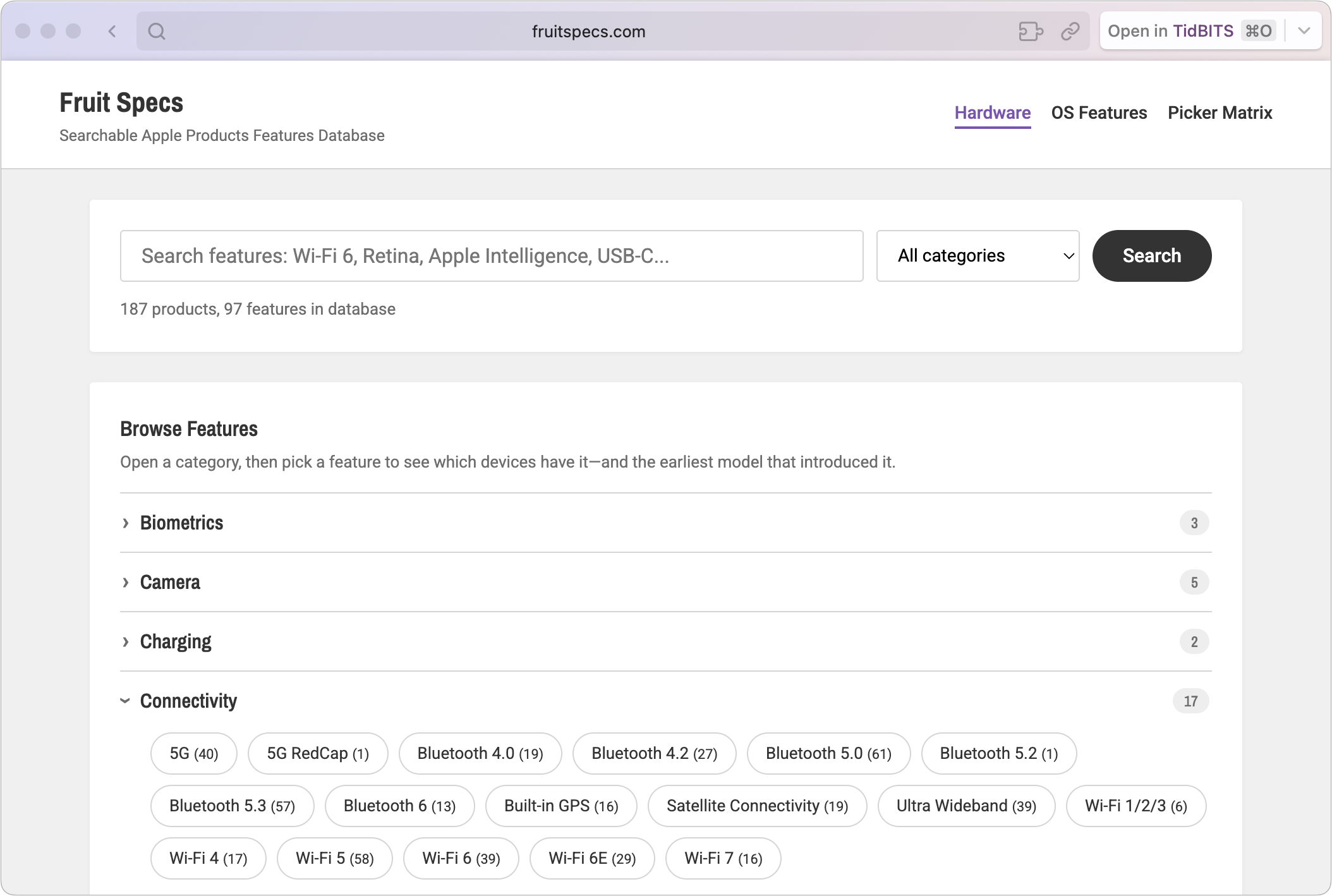
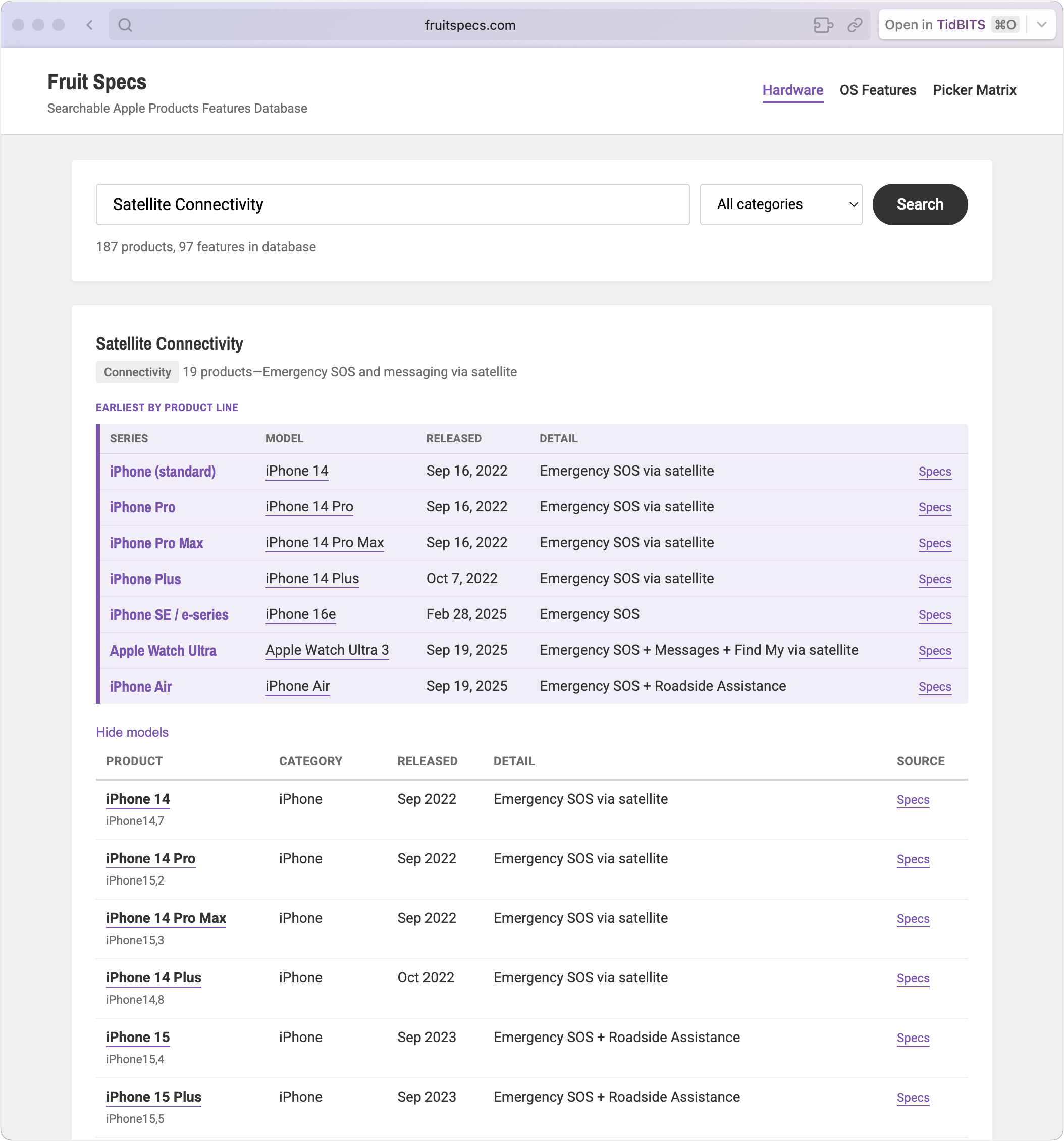
From an information presentation standpoint, this approach quickly runs into scaling problems. For instance, 19 products support Satellite Connectivity, many of which differ only in irrelevant ways, such as the iPhone 14, iPhone 14 Plus, iPhone 14 Pro, and iPhone 14 Pro Max. Glenn chose to address this by collecting devices by product line and then displaying the earliest model in each. Wherever such summaries appear, a Show All Models/Hide Models toggle link lets you see or hide the full list.
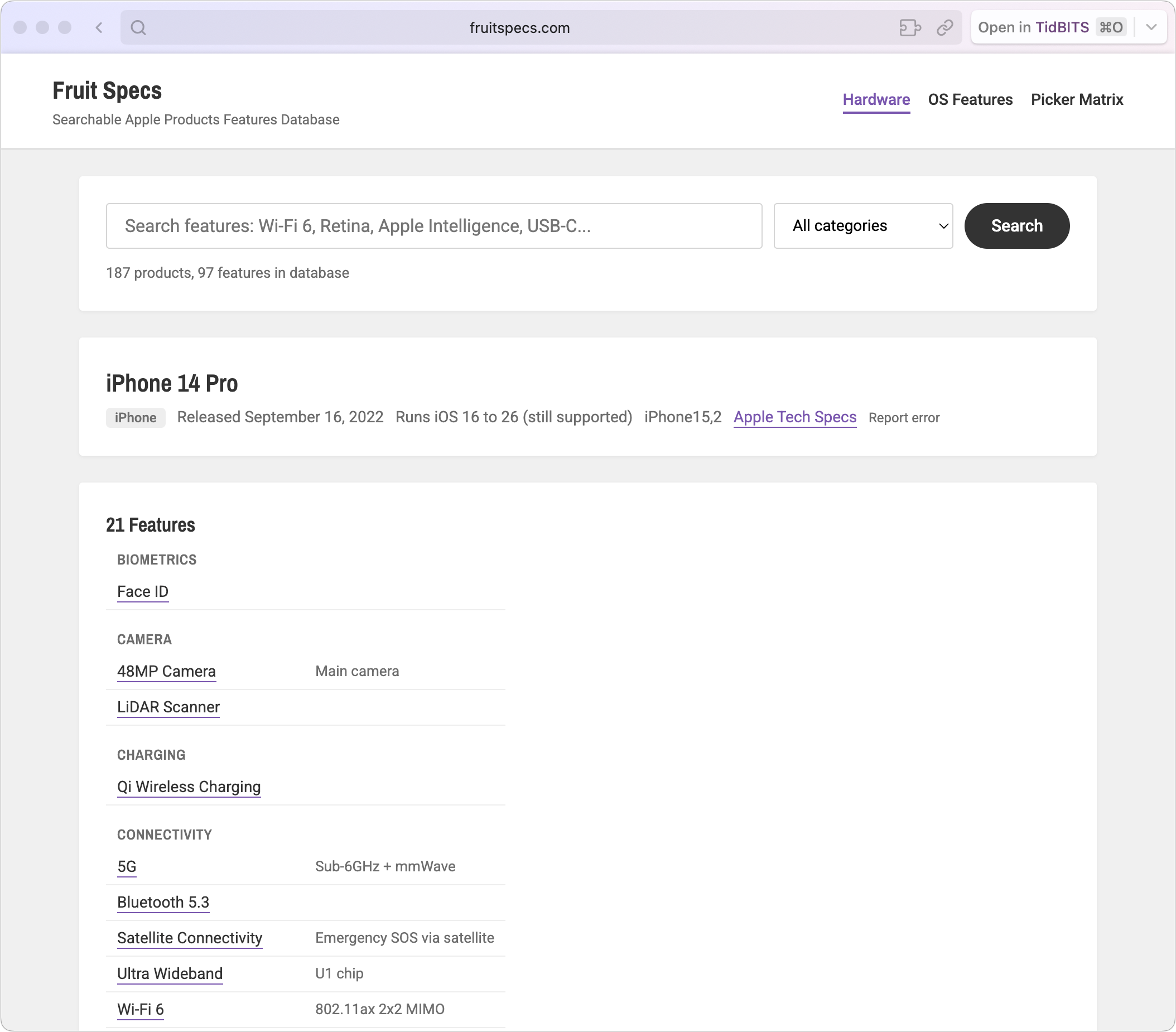
Clicking any individual product name shows that product’s details, along with a link to the source at Apple’s Tech Specs site and a Report Error link for any quirks you notice. Each feature is, of course, a link that encapsulates a search for that feature.
The Picker Matrix is the most fun. It offers two tabs: one showing the 97 hardware features and another with the 166 operating system features, both organized into categories. Each feature has a checkbox and a parenthetical telling you how many products contain that feature. Select a checkbox, and the Picker Matrix instantly shows the matching products at the top of the screen, and the features absent from those products become greyed out—a feature Glenn added at my suggestion. Select another available feature, and the matched list updates to show products that have both selected features.
For instance, if you start with Thunderbolt 5, you get a bunch of recent MacBooks, the latest Mac mini and Mac Studio, and the new Studio Display XDR and the just-refreshed Studio Display. Add HDMI in, and the two Studio Displays fall away. Add Bluetooth 6, and you’re left with just the M5 Pro/Max 14-inch and 16-inch MacBook Pros.
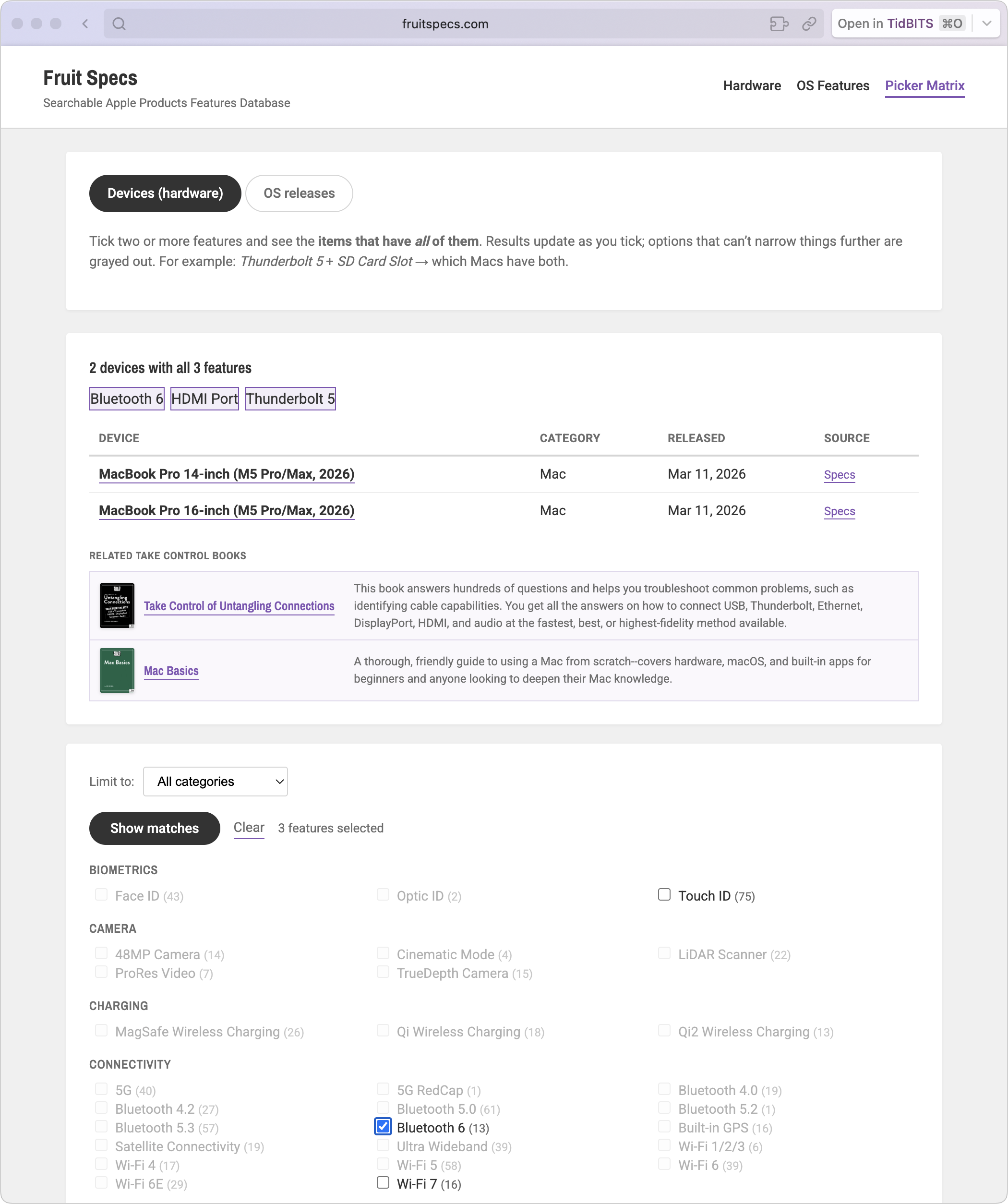
You’ll notice the section in the middle with Related Take Control Books. Fruit Specs is free to use and has no traditional banner advertising. Glenn initially created it so he could refer to it while writing his Take Control titles. It’s undoubtedly a major timesaver—I’ve often found myself flipping between multiple tech specs pages that I’ve archived in DEVONthink Pro while writing spec-heavy articles. But as useful as Fruit Specs is both internally and to the public at large, Glenn does need to earn a living, so he has built another database table that recommends specific Take Control books associated with the current search or selection. It’s a subtle bit of monetization, but every little bit helps him and other Take Control authors.
Next time you need to sort through multiple Apple devices or operating systems to see which ones have certain features, give Fruit Specs a try. It has already earned a pinned tab in Arc so I can access it quickly while researching and writing.


Eager for suggestions on how to improve that, keeping it still simple—I don’t want to rebuild MacTracker, which is awesome, but offer a different look.
Is Fruit Specs in the App Store?
Golly, aesthetically very nicely done and blazingly fast. Looks simple but is extensively extensive in details. And dig that Take Control purple!
A couple of small things confused me (but I just got up from a nap). Like that the listed items are alphabetical left to right across columns. I was expecting top to bottom then columns left to right.
Also, I went to the Picker and ticked Lightning and suddenly there was a list of products. The instructions state ‘Tick two or more’ so I was surprised that results were shown after only ticking one. Then I clicked the back button and it went to a previous search in OS Features, not to the Picker with no items ticked.
Interesting choice, to show the results above the tick boxes, I can see the challenge. If one does want to tick more items then scrolling down to the boxes is needed. A fair number of shopping websites with tick box filters above results continue to have the filter choices shown there, and sometimes with a button to click when all desired boxes are ticked, then the results update. Tough call with this much data.
Aesthtically for my tastes only a few things to tweak.
Speaking of fun, the other day I booted up a PowerBook G3 with 8.6 on it and was playing Burning Monkey solitaire and enjoyed the sounds and goofy fun jokes and things. Maybe it’s too, ahem, juvenile but maybe some fun elements could be added, like playing very occasionally random Apple sounds when certain items are clicked or hovered over (e.g. thunder & lightning), or symbols/icons associated with features that appear when hovered over, or a button for random results or products/features that emerged or went obsolete on the anniversary of the search date…
Maybe add the icon for outbound links (reference to specs on Apple site noted on Privacy page).
Maybe tooltips or Wikipedia style info boxes for brief explanations of tech terms or initialisms.
Maybe have the search box hold its place below header as Browse Features and other boxes scroll behind it.
These days, for an extensive and detailed project like this it might be useful to state more specifically than:
how they are compiled, ie human intelligence and proofreading or some automated crawler or…
I didn’t notice at what point the database begins, as in “x Products, x Features in database since 1492”. I searched for PowerBook, Lombard and Moof but they weren’t found. Maybe that is a place for listing it, like „the term ‘Red Sprite’ was not found, the database is extensive but goes back to 19xx only. But there is a Take Control Book on it, here…”.
When a search is unsuccessful, maybe make the search field fully highlighted for typing a new search word without having to go up and click/drag.
Sorry to bloviate like this. Maybe the nap freed my restraint a bit too.
Nice idea, to tie into TC Books, done tastefully imho. Hope it develops into something exceeding your expectations @glennf !
I did ask for feedback! This is all worth thinking about, and some items need quick correction.
Just a webapp. Doesn’t warrant the investment of time to make into an app, plus additional to get into the Mac App Store. At least, not yet. If it wound up selling a lot of Take Control Books, maybe, but that’s unlikely! Very to the side project.
You could make it act like an app I suppose, by viewing the site as a Safari ‘web app’ and saving it in the Dock.
Looks nice but the name, a Californian whimsy, will be hard to recall and to find in search.
Fruit Specs name makes sense… even to a Brit, it’s pretty obvious!
Nice site Glenn, and makes for another great online resource when wanting a reverse look-up. Mactracker I use the other way for years now. So they complement each other.
EDIT: https://everymac.com is useful to bookmark, too. ;-)