OpenAI Shuffles ChatGPT Apps, Kills Atlas Browser, Improves Voice
It’s impossible to keep up with all the happenings in the AI world. However, that’s fine. For the most part, the latest announcements, pronouncements, and breathless coverage won’t make a significant difference in what we users experience. Yet another new model, governmental meddling, even Apple filing a lawsuit against OpenAI for theft of hardware secrets—none of it is likely to make much of a difference in our everyday usage.
However, OpenAI has been shuffling its apps and services in ways users will notice. And as much as I’ve been focusing more of my attention on Anthropic’s Claude because of concerns I have about OpenAI and its management, ChatGPT has more active users (~1.1 billion) than Google’s Gemini (~900 million), and many more than Claude (~245 million, in part because it’s more focused on enterprise uses).
As such, it’s worth noting three recent changes with ChatGPT: a massively confusing app replacement, the end of the ChatGPT Atlas Web browser, and improvements to ChatGPT Voice.
ChatGPT App Confusion
OpenAI has released a new ChatGPT desktop app for the Mac. Normally, an app release is relatively straightforward, but in this case, I feel as though I’m missing something. First off, keep in mind that OpenAI previously had two apps: ChatGPT, which was essentially a decent Mac version of the ChatGPT Web app, and Codex, OpenAI’s coding tool, which could interact with files on your Mac for development. Three things seem to have happened:
- New ChatGPT app: The new ChatGPT app lets you use both Codex and ChatGPT Work, which is a new agentic form of ChatGPT that can work with local files and Internet services. What’s particularly weird is that, despite OpenAI saying, “The new ChatGPT desktop app combines Chat, ChatGPT Work, and Codex,” Chat isn’t a separate mode like Work and Codex—it’s an overlay that floats on top of those other two modes. Chats can also be opened in their own windows. Since all ChatGPT users use chats, but only a relative handful—a mere 5 million people—use Codex, and ChatGPT Work has no users by virtue of being entirely new, why not make Chat the default mode?
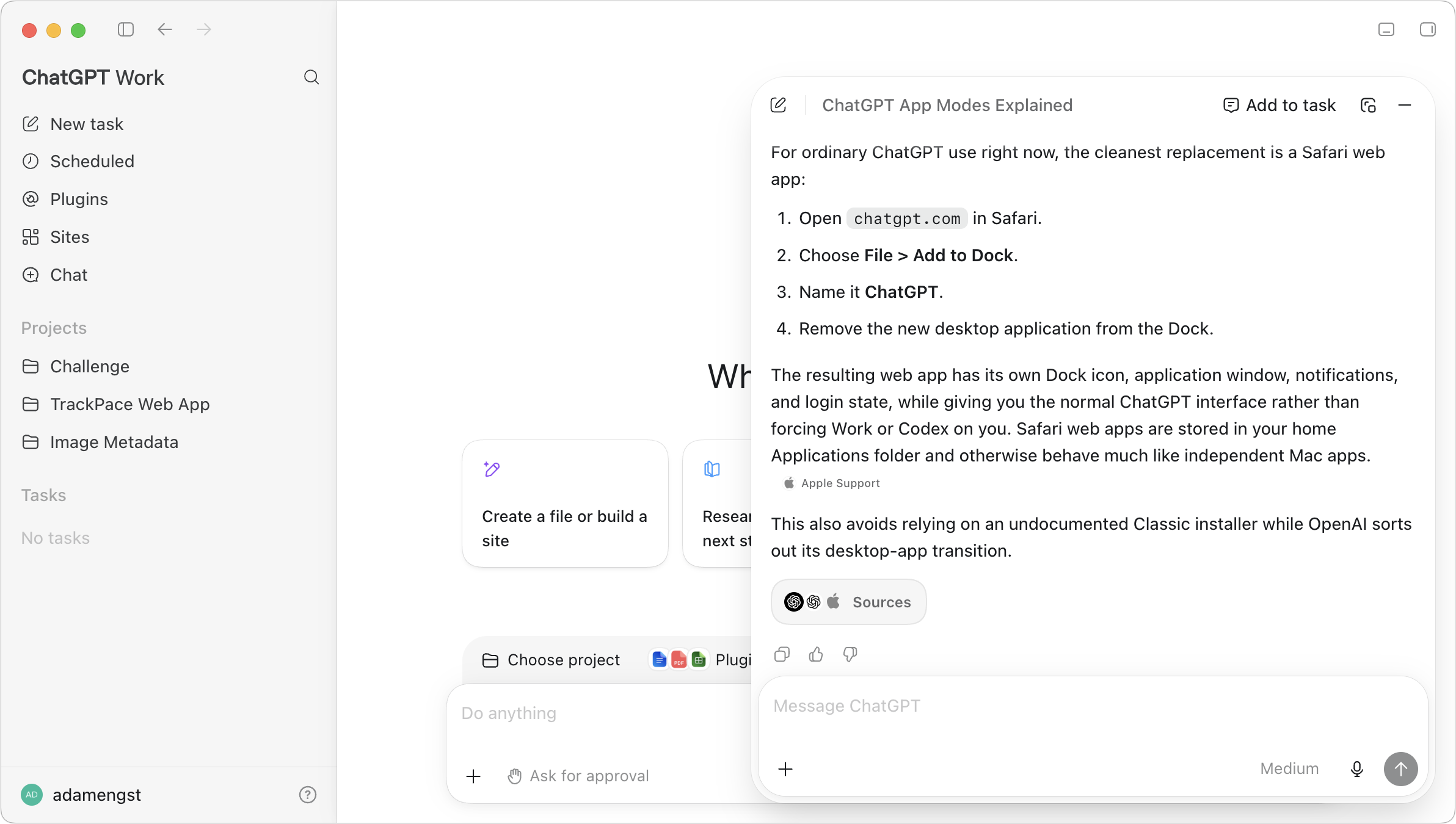
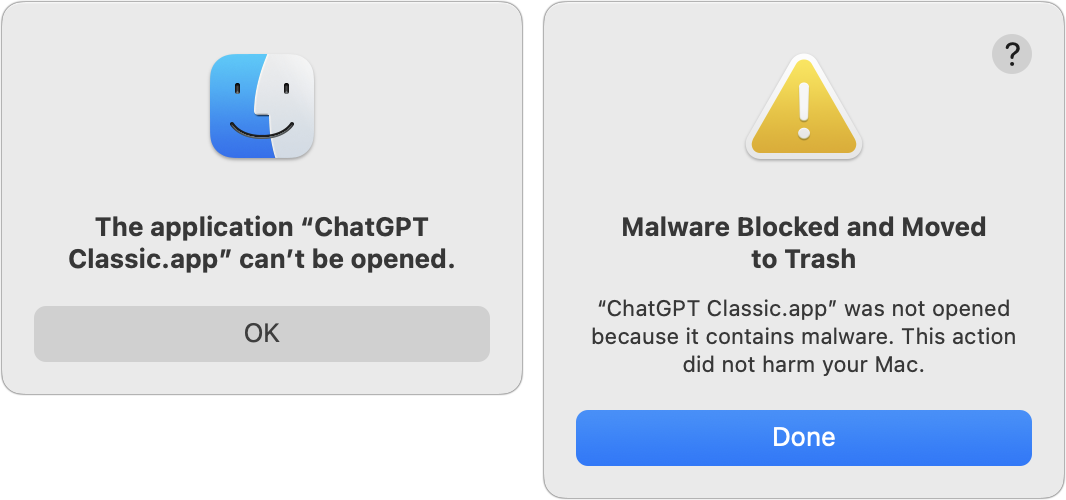
- ChatGPT Classic: If you previously had the old ChatGPT app (which was 159 MB of native Mac app), launching it may convert it into the new ChatGPT app (which is 1.45 GB of Electron bloatware). Or, it may rename itself to ChatGPT Classic and stick around. It’s impossible to predict which. Seriously, OpenAI explicitly says, “The new app may install alongside your current app.” (Emphasis mine.) On one Mac, I ended up with the ChatGPT Classic app, but when I tried to launch it, macOS threw two error dialogs: one saying it couldn’t be opened and the other saying it was malware and moving it to the Trash. I tried moving that app to another Mac, but on the first launch, it converted itself to the new ChatGPT app, and on my second try, I got the malware dialogs again. I give up.
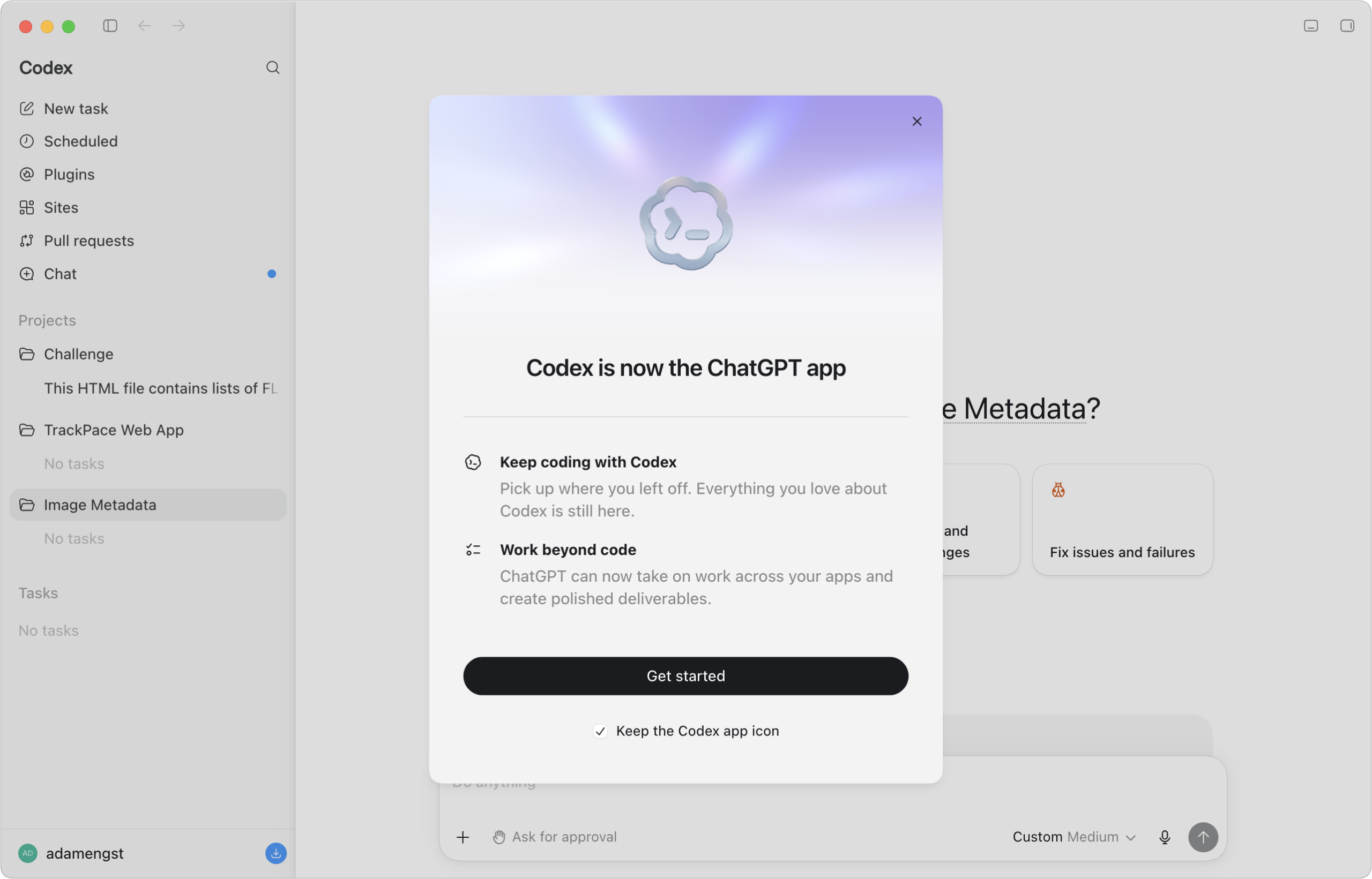
- Codex replaced: This new ChatGPT app replaces the previous Codex app, literally. If you open Codex and allow it to update, it becomes ChatGPT, with the ChatGPT Work and Codex modes. While we’re talking about app size, the Codex app is 723.7 MB, whereas the new ChatGPT app is 1.45 GB. Along with the bloat of the cross-platform Electron framework, the difference is probably due to ChatGPT Work incorporating code from ChatGPT Atlas, OpenAI’s Chromium-based agentic Web browser. More on that shortly.
Because I use Arc (and have written a great deal about it), which lets me have a favorite pinned tab for ChatGPT (and Claude) that I can optionally open in a split view next to another page, I’ve had little desire to use the ChatGPT desktop app. Since I find the new ChatGPT app confusing and awkward, I plan to ignore it for everyday chats.
For those who want to bring back ChatGPT Classic, there are two options: install it from the command line using Homebrew with brew install --cask chatgpt-classic or create a ChatGPT site-specific browser. You could use something like Unite, but the easiest approach is to navigate to https://chatgpt.com/ in Safari, choose File > Add to Dock.
ChatGPT Atlas Retired
In October 2025, OpenAI released ChatGPT Atlas, a Chromium-based Web browser that integrated ChatGPT into a context-aware sidebar so you could chat about what you were reading. It was also agentic, in that it could click buttons, follow links, and generally monkey through the Web like a person might (albeit very, very slowly).
I tested ChatGPT Atlas in “Can Agentic Web Browsers Count?” (30 October 2025) and had a small success with it in “ChatGPT Atlas Digitized Book Tables That Stymied Other OCR Tools” (23 November 2025), but apart from its agentic capabilities, it wasn’t nearly a good enough Web browser to entice me away from Arc. (Even Dia, The Browser Company’s new AI-enhanced browser, still can’t compete with Arc… and its website animation of people screaming is horrific. But I digress.)
Now, less than a year after being released, OpenAI is “sunsetting” ChatGPT Atlas, an industry euphemism for killing it. In introducing ChatGPT Work, OpenAI said, “We are also updating our Chrome extension to make it possible to use ChatGPT directly in Chrome’s sidebar. These capabilities build on what we learned from Atlas and from the users who helped us understand how agentic tools can make browser-based work more useful. We’ll begin sunsetting the standalone Atlas browser, and will share information with users about how to transition to ChatGPT. “I hope you didn’t actually like using ChatGPT Atlas, but if you did, check out the ChatGPT Chrome extension, Dia, or Perplexity’s Comet.
It was hard enough to figure out when to invoke ChatGPT Atlas’s agentic capabilities when I was looking at a page I wanted it to interact with. I can’t yet wrap my head around what ChatGPT Work can do or how I’d use it.
ChatGPT Voice Mode Improved
First, in some good news, OpenAI introduced yet another model, and while I claimed that wasn’t interesting, it is in this case. We’ve long been able to talk directly to ChatGPT via ChatGPT Voice, which chained together three types of AI models. First, a speech-to-text model turned your words into text, then a large language model processed them, and finally a text-to-speech model transformed the response back into spoken words. It worked pretty well, with a reasonably natural voice, decent understanding, and relatively low latency for fluid conversations. However, the large language model that generated the responses was outdated, with its training data ending in mid-2024, and it was tweaked for fast performance rather than good answers.
OpenAI’s new GPT-Live models change the approach for significantly more natural speech and vastly better responses. They use a full-duplex architecture, so instead of the previous walkie-talkie–style turns, ChatGPT Voice can now listen and speak simultaneously. More importantly, for conversations that require Web search or deeper reasoning, it can delegate to GPT-5.5 right now, and OpenAI says that it will use the current GPT-5.6 soon.
Ironically, Tonya and I played with ChatGPT Voice in the car a few weeks ago on our trip to Boston (see “How Planning Made My Second Long EV Trip Stress-Free,” 10 July 2026). It was acceptable but unimpressive—we could tell the underlying model wasn’t as capable as the one that handles typed queries. Last week, then, I wanted to brainstorm some notes on an app I’m considering creating, so I used Claude’s voice mode while out for an ElliptiGO ride. That was quite successful, and I told Tonya about it that evening, pleased that I’d found a new voice option. The next day, OpenAI introduced the GPT-Live models. Maddening!
Since then, I’ve tried two conversations with ChatGPT Voice. The first one revolved around some chronic running injuries I’m rehabbing, which I know quite a lot about. With the new GPT-Live backed by GPT-5.5, the responses were very good—ChatGPT nudged me toward another sports medicine appointment while still providing accurate information and reasonable advice. It even emphasized that I should ask the doctor whether imaging would be purely diagnostic or would actually inform different treatment (in some cases, treatment is the same regardless of what an MRI shows).
For the second conversation, I went for another ride and talked to ChatGPT Voice for an hour while working through some rather inchoate ideas I have for an upcoming article. It offered helpful responses, was easily interrupted when something it said triggered a new idea, and provided a coherent outline that reflected everything I blathered on about while riding. I can’t say that it was notably better than Claude’s voice mode, but it was certainly worth using as a smart notetaker.
One last note: because I subscribe to ChatGPT Pro, I’m using the GPT-Live-1 model, whereas people using ChatGPT for free will get the GPT-Live-1-mini model. I don’t know how they compare, but I strongly suspect that the mini model won’t perform as well because all these companies reserve their best models for paying customers.
Start the discussion in the TidBITS Discourse forum